Static analysis of mprivhaan APK
Static analysis of the mprivhaan dropper (com.airtel.android.provider.a3upjsn) and its decrypted banking payload (com.transport.gov.in): R8-obfuscated native-gated decryptor, VPN kill-switch, and phishing-to-exfil chain.
As of today 08/09/2026 the account connected to various scam mParivahan related APKs called maparivahan has effectively vanished, most likely banned from github. I can continue to analyze the APKs it had released and keep sharing the analysis of them since I batch downloaded the APKs.
This APK we will be analyzing today is even more brazen with its permissions and somewhat unique & funny as well than the previous one whose permissions will soon look tame in comparison. This will be a shorter analysis as I do not need to spend an entire hour explaining and cutting into the legitimate NextGen mParivahan APK.
Analyzing the APK itself
First we will hash the APK:
mprivhaan.apk:
- SHA-256:
ee716196ee2c90950ab30b77865b75a1cc11746752d8df169c0cb7e2a6177869 - SHA-1:
84f9dd8fa68473378e6a2ce15511c2e6d4a25ec4 - MD5:
1830ee2d3c0c05f82bde568759f5ad89
Now that we have generated the hashes for the APK we can dive straight in the analysis of the actual malicious APK itself.
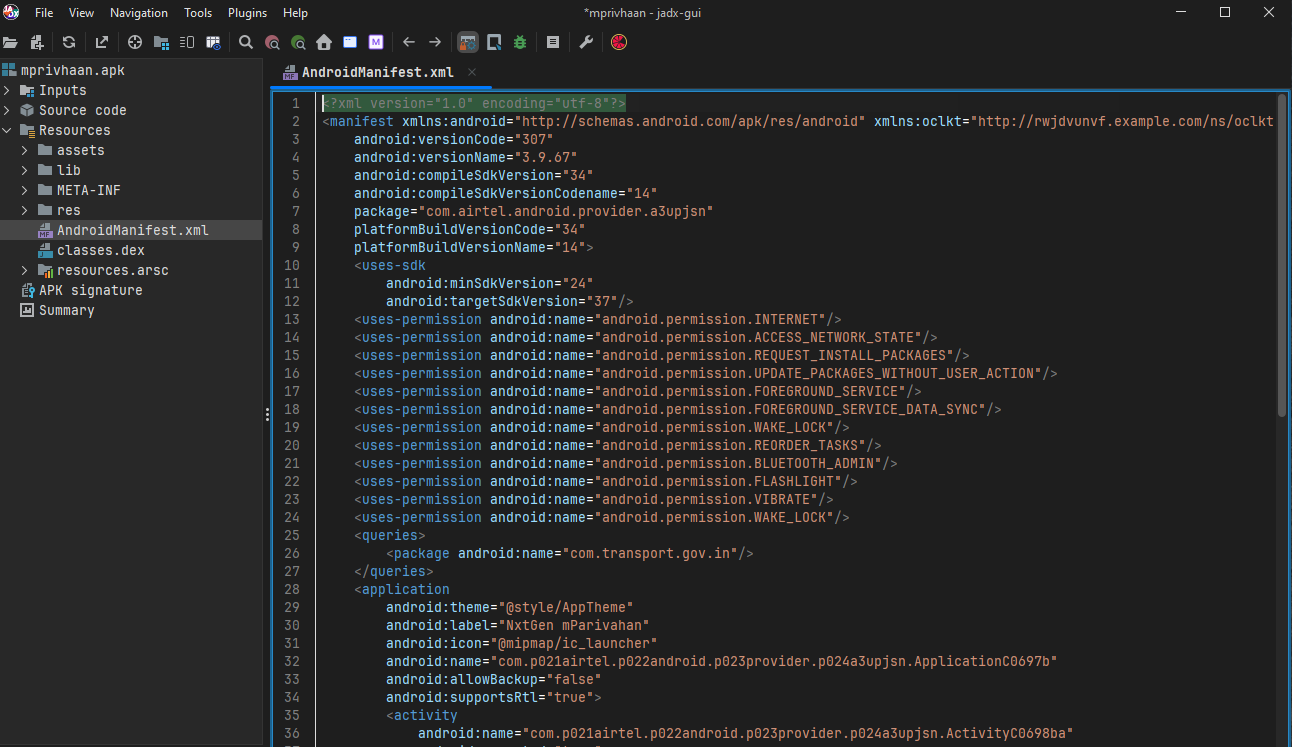
Although the APK is trying to mimic the official NextGen mParivahan app however the manifest's package name is: "com.airtel.android.provider.a3upjsn" this is the first waving red flag staring right at us. It is simply bogus and useless to say the least. It tells Android, broadly that "this APK belongs to the package com.airtel.android.provider.a3ujpsn". It is also the namespace associated with the app's components and is normally what you see as the app's package name when using Android tooling. Meanwhile, the package inside <queries>
<queries>
    <package android:name="com.transport.gov.in"/>
</queries>
This is not the APK's package, <queries> controls Android's package visibility rules.
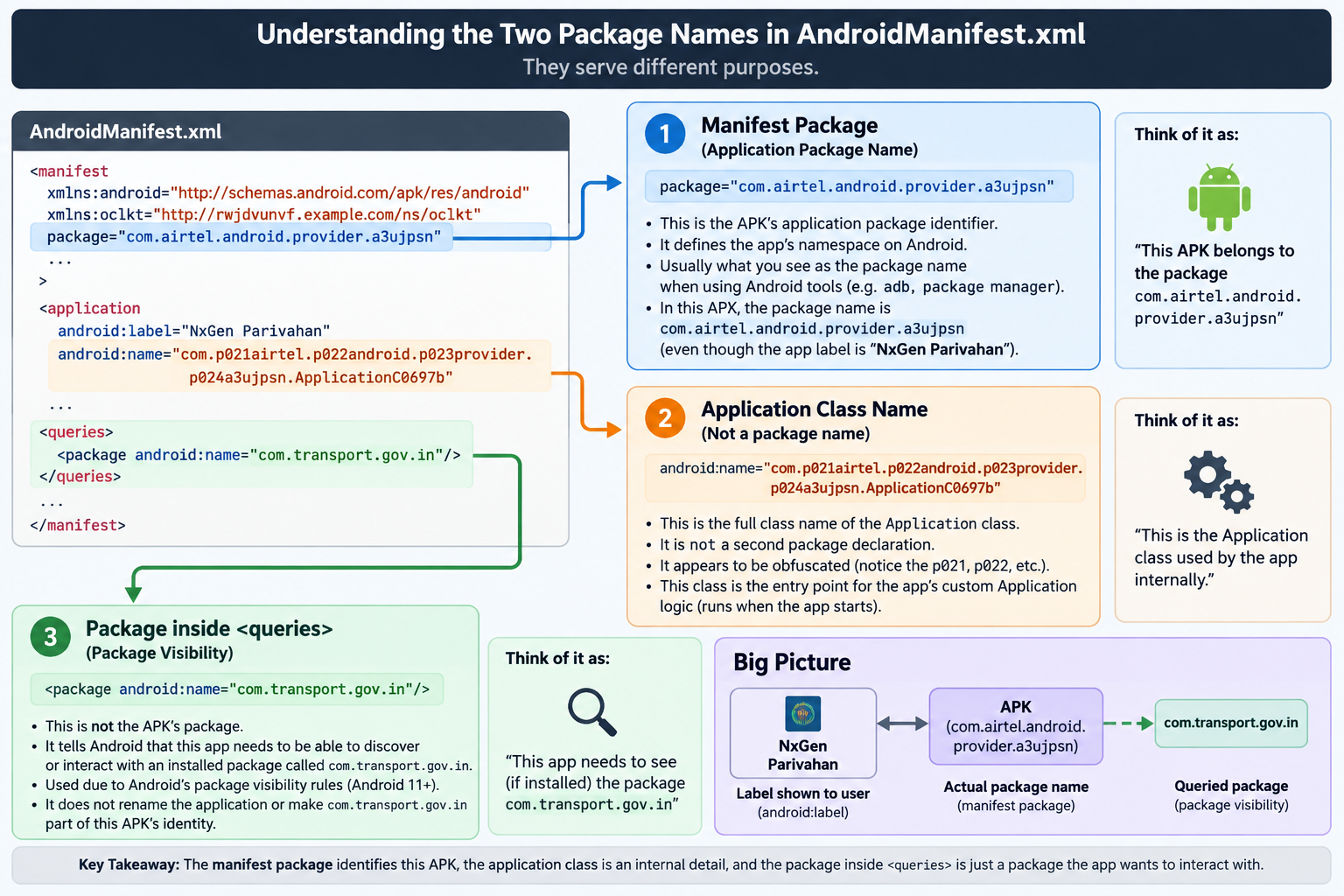
Coming to the "uses-permission" section, this APK has a plethora of permissions it asks for some are really important and sensitive and some so useless and dumb and unrelated to the legitimate information one has to wonder what the threat actor was thinking or if he was thinking at all. ALSO, take note of the com.transport.gov.in package name. It will become highly relevant later on.
Permissions
We will only focus on seemingly important and/or bizarre or out of place permissions:
- "
<uses-permission android:name="android.permission.INTERNET"/>"
This one is simple enough the permission asks for Internet access from the package. This is somewhat of a basic requirement for most applications nowadays and so it alone does not raise any suspicion. That said, malware needs internet access too, so it is worth listing even though on its own it proves nothing.
- "
uses-permission android:name="android.permission.ACCESS_NETWORK_STATE"/>"
A lesser of an important permission than the INTERNET permission itself. ACCESS_NETWORK_STATE queries that in what state the network currently is. It is classified as a normal permission meaning it is granted automatically at install time. It allows an application to access information about the device's current network state such as whether the device is connected to a network and the type of connection (WI-FI, mobile data, etc).
- "
<uses-permission android:name="android.permission.REQUEST_INSTALL_PACKAGES"/>"
We jump from two minor permissions to a highly dangerous permission. REQUEST_INSTALL_PACKAGES permission allows an Android application to request installation of app packages (APKs) on a user's device. This still needs user interaction and so the user still has the change to deny the extra packages which the app will try to download. This itself would not cause much of an alarm if not for the very irregular next permission.
- "
<uses-permission android:name="android.permission.UPDATE_PACKAGES_WITHOUT_USER_ACTION"/>"
Another dangerous permission when accompanied with the ones already laid out above, the UPDATE_PACKAGES_WITHOUT_USER_ACTION permission allows an application to perform app updates without requiring the user to confirm the action via a system dialog, this permission enables silent updates for third-party app stores and installers by setting
setRequireUserAction(USER_ACTION_NOT_REQUIRED)in thePackageInstaller.SessionParams. As told before this alone would not have caused alarm but when added with the other permissions above it can enable the app to install and update (or install payloads in the name of updating the app)
- "
<uses-permission android:name="android.permission.FOREGROUND_SERVICE"/>" & - "
<uses-permission android:name="android.permission.FOREGROUND_SERVICE_DATA_SYNC"/>"
These two of course complement each other whereas the, FOREGROUND_SERVICE allows apps to run background tasks persistently. This can be abused by spyware to maintain constant access to device resources. Meanwhile the, FOREGROUND_SERVICE_DATA_SYNC specifically enables continuous data transfer, making it a primary vector for various sensitive data such as SMS, contacts, location, etc exfiltration to command-and-control (C2) servers while hiding behind minimal "Syncing data" notification.
- "
<uses-permission android:name="android.permission.REORDER_TASKS"/>"
REORDER_TASKS is classified as a normal protection level permission by itself it allows an app to change the Z-order of tasks or move them to the foreground and background, which can be used to bring specific apps to the front without user input. Therefore, the permission itself is not inherently malicious, a malicious app could repeatedly force itself to the foreground to distract the user or hide background activities.
- "
<uses-permission android:name="android.permission.BLUETOOTH_ADMIN"/>"
Grants administrative control over Bluetooth functionality, such as enabling or disabling Bluetooth and modifying discoverability of the said device. On modern Android versions BLUETOOTH_ADMIN is classified as a normal permission and it is granted automatically at install time without requiring explicit user consent. This means a malicious can manipulate Bluetooth settings silently, potentially disrupting user connectivity or enabling unauthorized device interactions. While Google has split these capabilities into more granular permissions like BLUETOOTH_SCAN & BLUETOOTH_CONNECT for Android 12+ (which are dangerous and require runtime approval), BLUETOOTH_ADMIN remains a legacy permission. Apps targeting older API levels or using legacy methods may still rely on it, maintaining the risk of unconsented system-level changes.
- "
<uses-permission android:name="android.permission.FLASHLIGHT"/>"
I honestly don't even know what to say about this. This is just so random and out of place. That I had to do double and triple checks just to make sure I am seeing what I am seeing. This fake and malicious app asks for the absolutely random FLASHLIGHT permission. I know this is serious but I laughed hard for sometime after seeing this permission out in the random.
An attacker can take various routes to make the APK seem harmless and to mimic originality however this was unique in the sense that the FLASHLIGHT permission is genuinely more suspicious in this case than other permissions even though the other permissions have more actual usefulness.
We are now done with analyzing the permissions and we will not be getting into permissions like WAKE_LOCK and VIBRATE because they are pretty self explanatory.
The VPN kill-switch
At the very end of the manifest:
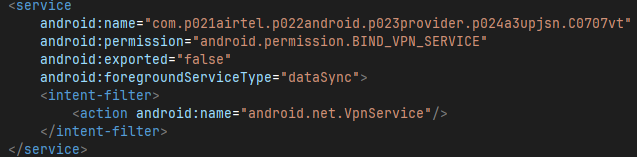
the vt has superclass android.net.VpnService, builds a tunnel via VpnService$Builder (init → ~10 builder calls → establish()), and overrides onCreate/onDestroy/onRevoke. The launcher activity ba calls VpnService.prepare() (the system consent flow) at startup.
Its job is defensive, not exfil; once the user grants VPN consent, vt holds the device's VPN slot with a blackholde tunnel. Effects:
Meanwhile dataSync is purely the manifest permission backing foreground-service type. No references exist in the malware's own classes. It lets the dropper's worker service call startForeground(SYNC, notification) and survive Doze/App-Standby while it:
- Blocks real security tools: any genuine VPN (or a researcher's traffic-interception setup) can't start while
vtoccupies the slot; Android allows exactly one active VPN. - Kills its own C2 visiblity: traffic from the staged-fetch channel and the decrypted payload can be routed into the tunnel interface and dropped or shaped.
onREVOKEhandler: if the user (or another app) revokes the VPN, vt gets the callback and can re-request consent or trigger payload self-defense.
Ultimately,dataSync is the type for network upload/download work. For vt it covers both halves of its job: pulling the staged payload over the network and holding the VPN slot, all as one persistent foreground service that Doze and App-Standby buckets can't kill. On the target SDK here (37 / Android 15+), a dataSync FGS started while the app is in the background would normally be rejected, which is why the dropper first pushes a visible Activity (ba, the launcher) to get foreground status, calls VpnService.prepare(), then starts vt.
- downloads the staged payload,
- decrypts/concats the blob,
- fires the install intent (REQUEST_INSTALL_PACKAGES + UPDATE_PACKAGES_WITHOUT_USER_ACTION).
Parsing classes.dex
The shape of the DEX, and what R8 left behind
I had my AI agent parse and separate the classes.dex in two separate files:
The methods file starts with the headcount: 2,154 classes, 17,903 methods. But the first thing you notice is the naming. The listing begins with Ljv;, La0SycQ;, La2kI;: hundreds of single-letter and gibberish classes sitting in the default package, with methods named a, a0SycQ, a0uIKY. Then, further down, perfectly ordinary names reappear: Landroidx/activity/ComponentActivity;, Landroidx/appcompat/app/AppCompatActivity;, Lkotlinx/coroutines/.... Two naming regimes coexist in one DEX, and that split is itself evidence.
- mrpivhaan_dex_methods,
- mprivhaan_dex_strings.
The strings file closes the case: buried at the very end is the marker ~~R8{"backend":"dex","compilation-mode":"release","has-checksums":false,"min-api":21,"r8-mode":"compatibility","sha-1":"f5ede0afa2399c499ea60aa352fe4bd15d65e4df","version":"9.2.4-dev"}. This is R8's build fingerprint, and it pins down the build. The project was compiled in release mode with min-api 21, using R8 9.2.4-dev in compatibility mode. The config used class repackaging into the default package (repackageclasses '', the source of all those La; to Lz; names) plus member renaming, but with keep-rules that preserved the public androidx activity/appcompat/fragment hierarchies while flattening much of core, lifecycle, and the internal compat shims. You can watch this directly: Laksfgxzcbyk, a ~150-method class wrapping AccessibilityNodeInfo, is unmistakably AccessibilityNodeInfoCompat with its identity scrubbed, while ComponentActivity two pages later keeps its real name because the manifest and the framework need to reflect on it. The Kotlin SMAP blocks scattered through the strings (mapping ActivityResultContracts.kt, RepeatOnLifecycle.kt, WithLifecycleState.kt line numbers) confirm a Kotlin-authored appcompat base, and the 0_resource_name_obfuscated string confirms resource-name stripping was on too. In short: whoever built this used a standard, modern Android release pipeline, and then aimed its obfuscator at everything except what Android itself needs to resolve by name. The malware classes hide inside that same renaming scheme, which is why ba and vt look like any other shrunk class until you read their superclasses.
The twenty-eight classes that matter
Out of 2,154 classes, exactly the Lcom/airtel/android/provider/a3upjsn/* cluster is the author's code, and its internal layout is tight. There is one Application (b, whose entire behavior beyond init is attachBaseContext, the single earliest hook, where the sysutil native library gets loaded before anything else runs). There is one god-Activity, ba, with 75 methods where every sibling activity has nine. There are six near-identical small Activities (dv, e, i3, o4, td, vm, each onCreate plus a handful of single-letter helpers and, in vm's case, onPause), five BroadcastReceivers with bare onReceive bodies, one ContentProvider (n), one VpnService (vt), a dozen two-method Runnable stubs, and a small constellation of helper classes. Everything the app is lives in this cluster; the other 2,100-odd classes are scaffolding it links against.
ba is worth reading slowly, because its method list is the key to the whole sample. Alongside the expected Activity lifecycle (onCreate, onResume, onDestroy, onBackPressed, onActivityResult) sits the JNI trio that defines this family: (I)Ljava/lang/String; getNativeStr, ()Z nativeEnvCheck, and ([B)[B ndkHE, flanked by byte-array plumbing (()[B abm4, ([B)[B ac6bHdI, ([B)V af, (I)Ljava/lang/String; abuwzvaory/agfwvzgatta). Read plainly: getNativeStr takes an integer ID and returns a decrypted string: the oracle; ndkHE takes bytes and returns bytes: the key/transform gate; nativeEnvCheck returns a boolean: the emulator/root/frida gate that decides whether the other two tell the truth. The dozen a/ba;Z)Z boolean helpers surrounding them are almost certainly the per-check predicates (is-debugger, is-emulator, is-hook-framework) whose results get ANDed. And ba also owns onSfheClick's neighbor aJqvj.onSfheClick: one click handler whose name survived obfuscation, the kind of single missed rename that gives you a diffing anchor across builds.
The helpers around ba do the background work. Lkzqsdfsa, Lkzwbbodw, Lkzymnlttzr, Ll0saiF, Ll1uNBbg, Ll21xEBj, Ll2Wi, Ll32j, Ll are all (Lba;)V <init> + run: a thread pool of single-purpose background tasks owned by the launcher activity: download chunk, decrypt chunk, verify, install, clean up. Ll4vti wraps registerReceiver for ba; Lkzpmeaj wraps startForegroundService taking ba plus an Intent, the dataSync foreground-service launch, now attributable to a specific call site. LlJiLt takes (vt, Class) and returns Object: a reflection helper bound to the VPN service, most plausibly how the code reaches hidden VPN APIs without naming them in a way static analysis flags. And aJxc7, constructed with (vt, FileDescriptor), is the tunnel's file-descriptor pump: the runnable that actually moves bytes through the VPN interface vt establishes.
vt itself is ten methods and nothing else: <clinit>, <init>, three single-letter helpers, and the full service lifecycle (onCreate, onStartCommand, onDestroy, onRevoke). A legitimate VPN app needs routing tables, DNS configuration, reconnect logic: dozens of methods. Ten methods says this service exists to hold the slot, not to move traffic. n, the ContentProvider, is the mirror image: full CRUD (query, insert, update, delete, getType) plus openFile, which is the one method a provider needs if its job is handing an APK file descriptor to the system package installer. The manifest authority string for it sits in the pool in two forms: com.airtel.android.provider.a3upjsn.provider and the content URI content://com.airtel.android.provider.a3upjsn.provider/.
What the string pool confesses, and what it refuses to
Eleven thousand strings sounds like a lot until you realize roughly ten thousand are framework exhaust: fragment-manager lifecycle logs, AppCompat attribute names by the hundredweight, Linkify's infamous multi-kilobyte URL/email regexes (which, amusingly, contain the substring airtel as a TLD alternative. Pure coincidence, it's the telecom TLD in Android's Patterns table, but it means naive IOC grepping for "airtel" in this DEX drowns in regex noise). The malware's own vocabulary is a thin layer on top, and reading that layer means looking at what is missing, not just what is there.
The positive signals cluster into four groups. Crypto: AES, AES/GCM/NoPadding, SHA256, XOR, GCMParameterSpec, SecretKeySpec, Cipher, Mac, MessageDigest: the exact primitive set the split-array key + GCM blob design needs, and notably no RSA, no keystore, no certificate pinning strings: the crypto is symmetric-only, single-key-per-build, exactly as recovered. Installer plumbing: canRequestPackageInstalls, getPackageInstaller, setInstallLocation, INSTALL_SHORTCUT plus its permission, application/vnd.android.package-archive: the full install chain including launcher-shortcut persistence (so the fake "mParivahan" icon survives the dropper's own activity finishing). Telephony: SmsMessage, SubscriptionManager, TelephonyManager wrappers (LizFaS, LizY, Lizfdaddo) and the SMS-receive/send permission strings: the staged payload's business, reachable from the dropper only insofar as it forwards. Native linkage: the lone string sysutil, the .so name, with no System.loadLibrary argument visible because the call passes through the obfuscated attachBaseContext path.
What is missing is the real finding. Every URL literal is a placeholder: https://api.example.com/version, https://example.com/privacy, https://example.com/terms, mailto:support@example.com. Not one real endpoint, not one IP, not one hostname belonging to the operators in 11,194 strings. The staged-fetch host, the panel, the C2: none of them exist as constants. They are assembled at runtime from native-oracle fragments, which is precisely why secret-scraping this DEX (by hand or by apkleaks) yields nothing while the behavioral analysis yields everything. The string pool also contains http:// and https:// bare prefixes and a (?i:http|https|rtsp):// regex fragment: the scaffolding of URL construction, present, with the operands deliberately elsewhere.
One genuine surprise sits in the pool: a complete SQLite schema that has nothing to do with AndroidX. CREATE TABLE records (_id INTEGER PRIMARY KEY AUTOINCREMENT, title TEXT NOT NULL, content TEXT, created_at INTEGER DEFAULT (strftime('%s','now')), updated_at INTEGER DEFAULT (strftime('%s','now'))), CREATE INDEX idx_records_title ON records (title), ALTER TABLE records ADD COLUMN category TEXT DEFAULT 'general', ALTER TABLE records ADD COLUMN is_archived INTEGER DEFAULT 0, plus SELECT COUNT(*) FROM records, updated_at DESC, CreateDocument("todo/todo"), app_logs.txt, app_logs_prev.txt, cached_username, theme_preferences. The methods file corroborates: LlHyd extends SQLiteOpenHelper with onCreate/onUpgrade and insert/query/delete helpers. This is a notes/todo store with archiving, categories, and file logging: either a functional decoy app skin (the "front" the victim interacts with while the dropper works) or a staging table where stolen content is buffered before exfiltration. The todo/todo document contract and the log files lean toward decoy-app skin; either way it's the only custom data-at-rest in the whole package, and worth one focused session to determine which side of that line it falls on.
Synthesis
Read together, the two files describe a deliberate two-layer engineering philosophy. The Java layer, all 28 classes is scaffold: UI screens, lifecycle, installer intents, a VPN slot-squatter, a file-serving provider, background runnables, a notes database for camouflage. It contains zero secrets and zero endpoints, and its few readable names (onSfheClick, getNativeStr, ndkHE, nativeEnvCheck, the records schema) are the only places the authors' intent shows through the R8 flattening. Everything that makes this malware theirs: the URLs, the keys, the payload, the decisions. All of it lives behind the three native methods on ba and inside the sealed blob. That is the whole defensive bet of the native-guard line: you can read every line of Java for free, because there is nothing in it to find.
Regarding APK signature
The APK signature claims certain things (none of which are true of course):
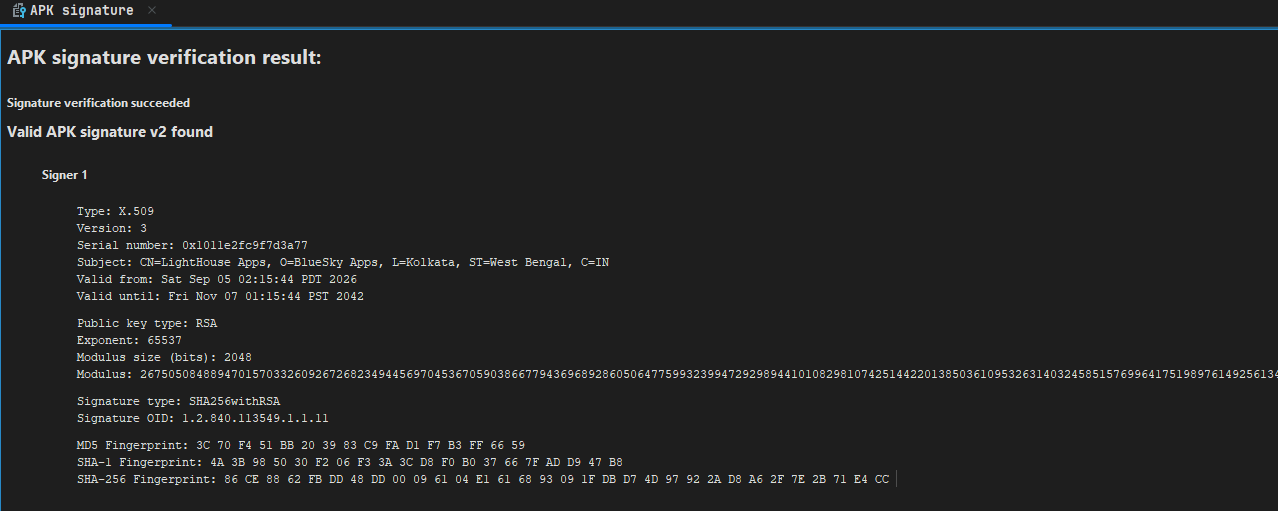
let me put it cleanly for immediate viewing:
Valid APK signature v2 found

Signer 1

Typer: X.509
Version: 3
Serial number: 0x1011e2fc9f7d3a77
Subject: CN=LightHouse Apps, O=BlueSky Apps, L=Kolkata, ST=West Bengal, C=IN
Valid from: Sat Sep 05 02:15:44 PDT 2026
Valid until: Fri Nov 07 01:15:44 PST 2042

SHA1: 4A:3B:98:50:30:F2:06:F3:3A:3C:D8:F0:B0:37:66:7F:AD:D9:47:B8
SHA256: 86:CE:88:62:FB:DD:48:DD:00:09:61:04:E1:61:68:93:09:1F:DB:D7:4D:97:92:2A:D8:A6:2F:7E:2B:71:E4:CC
MD5: 3C:70:F4:51:BB:20:39:83:C9:FA:D1:F7:B3:FF:66:59
It is needless to say the APK signature is useless as the "CN" (Common Name), the "O" name or Organization name and "L" (Locality), ST is (State) and lastly "C" which stands for country all are fake/bogus and not related to the original/legitimate NextGen mParivahan app at all.
We also have the convincing ic_launcher_fg_zypt.png which is the legitimate NextGen mParivahan icon:
I think we have mostly exhausted the analytical insights we could from the mprivhaan.apk. Before moving onto analyzing and understanding the payload we are going to focus one last time on mprivhaan and move along:
mprivhaan.apk: complete dropper source analysis
Architecture in one paragraph
The dropper is a thirty-class Java program wrapped around a native oracle, and every class serves the single purpose of getting fogky3f0e decrypted and installed while the victim looks at something boring. b (Application) loads the sysutil library before anything else runs. ba (the launcher Activity, 75 methods) orchestrates: WebView lure, VPN consent, blob decryption, silent install, self-removal. vt (VpnService) holds the VPN slot with a blackhole tunnel. n (ContentProvider) serves the decrypted APK to the installer. Five receivers watch installs, packages, SMS, and VPN state. A dozen runnables implement polling loops and retries. Six Activities are fake UI screens. That is the entire program: no dead code, no library demos, nothing that doesn't serve the install.
ba: the state machine
ba's most revealing feature is its field block: a dozen booleans (a2kI decrypting, aJxc7 done, aL3 VPN-ready, aKTAV5 blob-ready, aGZj installing, aG3 exiting, aGDSyST VPN-up, aGS/aGYJX consent-flow guards, aJqvj relaunch-pending, aGiUy install-allowed, aKTAV5... plus counters a5CL5 retries and aLOp). This is a hand-rolled state machine with no enum, no logging framework, just flags flipped across a dozen cooperating runnables. It reads as deliberately hard to follow statically, but dynamically it's a strict pipeline, and each runnable owns one transition:
aNJND2u/a0SycQ(posted 3s afteronCreate): kick off the decrypt attempt.aOPG5/a0uIKY: kick off the install attempt.aPnyUs/a2kI: the install poller: checks whether the payload package exists yet, and if not, re-posts itself every 1.5s up to 200 times (five minutes of patience), then stops. If the package appears, it sets the done-flag in SharedPreferences, kills the VPN, and relaunches itself to take the "already installed" exit path.aG3: the VPN waiter: pollsvt.a0uIKY()every 200ms, 25 times; on success sets VPN-ready and callsab(); on timeout sets VPN-ready anyway and proceeds. The VPN is preferred but not blocking, the install goes ahead regardless after 5 seconds.aGYJX: the payload-launch waiter: triesagL4G()(explicit component launch) thenagM8n()(package launch intent) every 2s for 60 rounds (two minutes); on success exits viaabt()(finishAndRemoveTask); on total failure resets the done-flag to false and reloads the lure HTML: the dropper resurrects itself rather than die in a broken state.abzglcddlux: the decrypt retry: three attempts, 3s apart, then surrender to the failure page.
ab() is the commit gate: VPN-ready AND blob-decrypted AND not-done AND not-installing → acMVm88(), which single-shots (aGZj guard), arms a 1.5s timer, and calls af(a6m) (the installer) with the decrypted bytes. The timers are all named constants (aXcesY = 200, aVdUtoK = 500, aWUIn = 2000, aSrGy/aVLRI = 3000, aV7Mgt = 793136 for VPN consent, aQkk1 = 1337 (someone's idea of a joke) for the install session callback).
onCreate itself is a triage ladder with three early exits before any UI appears: done-flag set → cleanup and return; payload launchable → launch it, set done, exit within 200ms; payload merely installed → cleanup and exit. Only a fresh victim sees the WebView. onResume repeats the triage (minus UI setup), because the victim may return from the VPN consent dialog or the install-permission settings screen, and if canRequestPackageInstalls() is now granted, it fires the decrypt-install chain immediately. onBackPressed is neutered to moveTaskToBack. The status bar is forced white with dark icons (setStatusBarColor(-1), SYSTEM_UI_FLAG_LIGHT_STATUS_BAR): the visual signature of a system-update screen, matching the "NxtGen mParivahan" costume.
The oracle economy: every string has a number
abuwzvaory(int) → getNativeStr(int) is the sole string source, and the call sites map the oracle's table: id 0 (blob asset name), 1 (payload package), 2 (temp filename), 4 (APK MIME), 5 (install action), 6 (session write name), 24/25 (lure/failure HTML), 26 (relay action), 35 (payload launcher class), 37/38 (prefs file/flag), 51 to 53 (VPN notification channel/name/title), 54 to 59 (tunnel session, address, DNS, route, two allowed apps), 60 to 63 (log strings, pump thread name), 64 to 67 (vt action suffixes), 68 (the " analyzing" toast for the env-check-fail path), 70 (SMS forward action). agfwvzgatta(int) appends oracle strings to the package name to build the private broadcast actions, so even the action names on the wire are oracle-derived and differ per build. Nothing greppable survives: no URL, no package literal, no action string. The two example.com URLs in dv are the only plaintext URLs in the app and they're placeholders.
The crypto, now with the source as witness
acwgntc streams the asset in 16KB chunks, tries native ndkHE, and on null/empty/exception falls back to ac6bHdI (the method I transcribed into fogky_dec.py). What it does: the XOR pad and RC4 key are the blob's own first 32 bytes (so every blob carries fresh stream parameters), the RC4 runs four KSA rounds (not standard, likely to defeat off-the-shelf RC4 detectors that key-schedule once), and the GCM key comes from abm4()'s two 32-byte arrays XORed together, with an explicit Arrays.fill(..., 0) wipe after use. Someone thought about memory forensics. abqyvh() wraps nativeEnvCheck() with a fail-open default (exception → false → proceed), and the JS bridge onSfheClick calls it: env-check fails (emulator/dirty) → toast the oracle string 68 and stop; passes → afW4ZvJ() begins decryption. The WebView button is the human-gated trigger, and the env check decides whether the press does anything.
vt: a VPN service that moves no traffic
The full vt source settles what it is for. onCreate builds a foreground notification (lock icon, oracle title/text/channel) and calls startForeground. a2kI builds the tunnel: session/address/DNS/route from the oracle, MTU 32767, addAllowedApplication for two oracle package names (with NameNotFoundException caught and logged; the tunnel excludes the payload and one other app from itself, so their traffic bypasses the blackhole), then establish(). On success it sets the static a6m flag (which ba polls), starts the aJxc7 pump thread on the tunnel fd, and broadcasts the "up" action (suffix 65). On null-fd or any exception it broadcasts "down" (66) and stops itself. a0SycQ (called from onDestroy, onRevoke, and the stop action 64) tears everything down and broadcasts 67. And aJxc7.run() is what confirms the kill-switch reading: it opens a FileInputStream on the tunnel fd into a 32767-byte buffer and reads in a loop, discarding every byte. No routing, no forwarding, no DNS handling: packets enter and vanish. The only traffic that escapes is the two allow-listed apps'. This is a slot-squatter with a blackhole, exactly as diagnosed, now confirmed line by line.
n, eo, y: the three couriers
n is a ContentProvider with every method stubbed (delete→0, insert→null, query→null) except openFile, which serves getFilesDir()/lastPathSegment read-only, and getType, which returns the APK MIME. Its authority string is hard-coded (the one literal package string in the app) because the installer framework needs it. It exists solely for the af() fallback path: session API unavailable → write APK to files → FileProvider VIEW intent.
eo is a generic relay: take any incoming broadcast, re-wrap it under oracle action 26, restrict to our own package, re-broadcast. One hop of indirection so the manifest-declared receiver (eo, exported for the session callback PendingIntent) never exposes the internal action names.
y is the small class that matters most: an SMS receiver that reassembles PDUs (multi-part safe, format-aware), and if sender and body are both non-empty, fires oracle action 70 at the payload package (oracle id 1) with sender/message/timestamp extras. The dropper can read SMS from the moment it's installed, before the payload even exists, and forwards everything to wherever the payload will be. Combined with af()'s whitelisted-restricted-permissions grant (SEND/RECEIVE/READ_SMS, WAP_PUSH, MMS, phone state/numbers, call log, contacts: the full interception set, pre-approved at session commit on API 29+), the SMS pipeline is hot from first boot: dropper catches, payload consumes.
The receivers that watch the install
a5CL5 handles the session-commit callback: status -1 with an embedded intent → store it and fire it (the user-consent screen for unknown-source install, launched only if canRequestPackageInstalls() is false); status 0 → install confirmed → set done, kill VPN, clear all timers, persist, relaunch-into-exit; anything else → cleanup + decrypt-retry. aGDSyST watches PACKAGE_ADDED and matches the scheme-specific part against oracle id 1, the payload's arrival detected independently of the session callback (covers the FileProvider fallback path, which produces no session callback). a7k listens for vt's 65/66 broadcasts and flips the VPN flags, re-arming the VPN attempt 2s after a teardown.
The fake screens
dv (and by identical shape e, i3, o4, td) is a mock About screen: reads its own versionName/versionCode, formats a "Version X (Build Y)" string, a Manufacturer/Model/Android/API-Level device card, and wires privacy/terms/feedback to example.com placeholders and a support@example.com mailto prefilled with device model. vm adds onPause and boolean toggles: a settings-shaped screen. These exist to survive a casual victim tap-through ("looks like a real app, has About and support") and to pad the activity count past trivial-dropper heuristics.
Well now that we have genuinely completely analyzed the mprivhaan.apk. We will now move to analyzing the dropper in its actuality.
Decrypting the payload - fogky3f0e
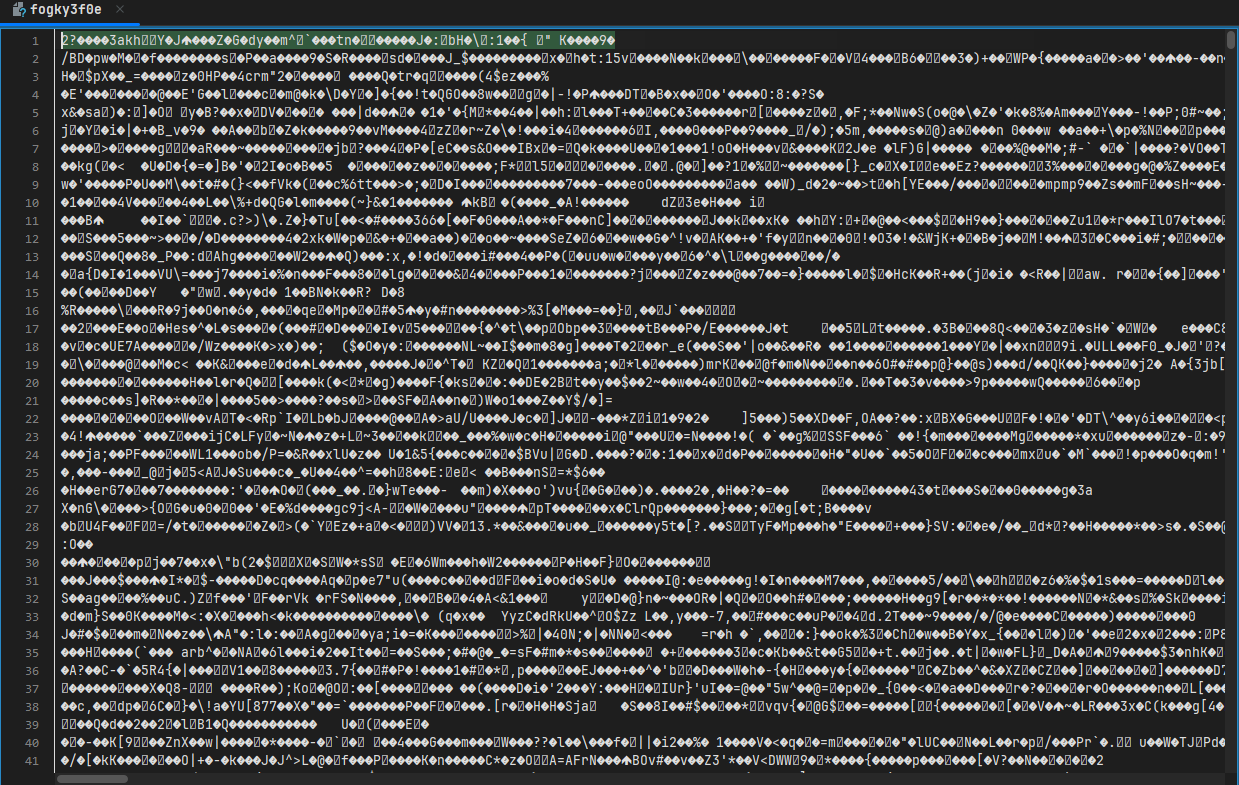
Yeah, just like most other encrypted payload this too is unreadable. This particular payload gave me much headache as a beginner because I just could not get my head around on how to decrypt it.
The payload itself is 5,139,395 bytes, which is obviously far too large to inspect manually and, more importantly, is not a ZIP/APK that can simply be opened and extracted. The first assumption was therefore that the obvious place to start was the AES material already recovered from the surrounding application.
We had already recovered a per build AES key from abm4(), so naturally the first experiment was to take that key and feed fogky3f0e directly into AES GCM.
It failed.
Not a malformed ZIP. Not a partially decrypted file. GCM tag verification failed.
That was actually a fairly important result, because GCM authentication is not something that can casually succeed with the wrong inputs. If the key, IV, ciphertext, or authentication data is wrong, the tag does not verify.
So at this point I made what, in hindsight, was a reasonable but incorrect assumption.
I assumed that the bytes sitting inside fogky3f0e were the ciphertext that was supposed to be passed directly to AES GCM. I then told my AI agent to help me decrypt the payload and it failed, it then on its own checked online for similar "issues" and tried various methods and none worked and so I let the analysis rest for a day or two and I kind of thought that static analysis of the dropper will be the only thing I will be writing about.
That assumption turned out to be the problem.
The evidence around the APK made the mistake particularly easy to make. ndnifaq is a stub which returns NewByteArray(0), the branch surrounding the local path looked inverted, and the APK contains the whole staged fetch infrastructure around com.transport.gov.in, including /api/staged/fetch/, the X-Staged-* header family and staged_payload.apk.
So the working theory became that the local encrypted blob was effectively dead theater and that the interesting payload would instead arrive through the staged fetch mechanism.
That theory held up reasonably well until I went back into ba.java.
The important discovery in ba.java
ba.java decompiled with six JADX errors, but there were still 652 readable lines, and the important part was sitting inside ac6bHdI.
This is where the whole thing changed.
ac6bHdI is not simply an AES GCM wrapper. It contains a complete decryption routine, and once the routine was followed in the order in which it actually processes the data, the reason for the failed direct GCM attempt became obvious.
The blob is not passed directly into AES GCM.
The application first takes the encrypted asset and applies a 16 byte XOR transformation. The material used for the XOR and the RC4 stage is derived from the beginning of the blob itself, meaning the blob carries the stream parameters needed for its own preprocessing. This was one of the details that was particularly useful because it explains why trying to treat the entire file as ordinary AES ciphertext was never going to work.
After the XOR stage, the resulting bytes are processed through four RC4 rounds.
And this isn't simply "RC4 is used somewhere in the decryptor". The implementation actually performs the RC4 KSA four times, using the relevant 16 byte material from the blob.
That is a fairly distinctive construction.
A normal RC4 implementation would initialise its state, perform the KSA once, and then generate its keystream. Here we have the additional four round structure. That means reproducing the primitive isn't enough, the exact order and key material have to be reproduced as well.
So the actual operation is essentially:
The bytes from fogky3f0e are first transformed with the 16 byte XOR material. That output then goes through the first RC4 round. The result is fed into the second RC4 round, then the third, and finally the fourth. The resulting RC4 output is what the code subsequently uses to obtain the material needed for the GCM stage.
This was the missing layer.
And then we get to GCM
Once the four RC4 rounds have completed, the resulting data is used to obtain the parameters for the final AES GCM operation.
Most importantly, the IV is sliced from the RC4 output.
This is the part that completely explains the original authentication failure.
I had previously been doing the equivalent of:
AES-GCM(recovered_key, fogky3f0e)when the actual implementation is doing:
fogky3f0e
→ XOR
→ RC4
→ RC4
→ RC4
→ RC4
→ derive GCM material
→ AES-256-GCM
So even with the correct AES key, the GCM stage was being given the wrong representation of the data.
The AES key itself comes from the abm4() split array schedule. That key is build specific, and for this particular mprivhaan.apk sample it begins with:
d3cfdaed…8104
This is the third unique key recovered across the three builds we've looked at, which is now enough to treat the re-keying as an actual property of this family rather than some accidental difference between samples.
There is another little detail in the implementation which I found interesting.
After the key material has been used, the code explicitly performs:
Arrays.fill(bArrAbm4, 0)So the array containing the recovered key material is wiped after use.
Obviously that doesn't magically make the implementation secure, especially when the key can ultimately be reconstructed from the DEX, but it does tell us something about how the author implemented the routine. The key material is treated as something temporary rather than simply being left sitting around in memory indefinitely.
Running the actual pipeline
Once I stopped treating the blob as direct GCM ciphertext and instead reproduced what ac6bHdI was actually doing, everything changed.
I ran the recovered pipeline against the complete fogky3f0e asset.
It decrypted.
Not partially. Not something that merely looked interesting in a hex editor.
The result was a 5,139,335 byte plaintext.
And, importantly, GCM authentication succeeded.
This is where I consider the cryptographic recovery effectively proven, because we now have several independent things agreeing with one another.
We have the key recovered from abm4().
We have the decryption algorithm recovered from ac6bHdI.
We have the 16 byte XOR stage.
We have the four round RC4 stage.
We have the GCM parameters being obtained from the RC4 output.
We have AES 256 GCM accepting the resulting input and successfully verifying its authentication tag.
And then we have an actual Android APK at the other end.
That last part is important because I didn't want to fall into the trap of seeing a successful cryptographic operation and immediately declaring victory.
The plaintext is actually an APK
The resulting 5,139,335 bytes were passed through ZIP validation.
testzip() came back clean across 585 entries.
That alone is already considerably stronger than checking whether the file starts with a ZIP/APK magic value. We aren't dealing with a file that merely happens to begin with PK. The archive can actually be traversed and its entries validate correctly.
Then I passed the resulting file through aapt.
It parsed as an Android package and produced a coherent manifest identifying:
com.transport.gov.in
with:
versionName: 1.0-mparivahanv2
and:
versionCode: 20401
That is the point where the result becomes particularly difficult to explain away as a false positive.
We started with a 5 MB encrypted blob.
The recovered abm4() material gives us the AES key.
The Java source gives us the transformation required before GCM.
The exact implementation produces authenticated plaintext.
That plaintext is a valid ZIP containing 585 entries.
aapt then recognises the result as an Android APK with the expected com.transport.gov.in package.
The SHA 256 of this recovered APK is also different from anything already present in the corpus.
So no, this isn't garbage that happened to pass a superficial file check.
What the failed GCM test actually told us
Looking back at the first experiment, the mistake becomes much easier to identify.
The failed test was:
Take the recovered AES key and feed
fogky3f0edirectly into AES GCM.
That test failed because fogky3f0e is not the direct GCM ciphertext representation.
The conclusion I originally wanted to draw was:
The blob cannot be decrypted offline and therefore the real payload must come from staged fetch.
But that conclusion contained an assumption that had never actually been verified.
The correct conclusion from the failed experiment was much narrower:
The raw bytes of
fogky3f0eare not directly consumable by AES GCM with the recovered key.
That is all the GCM failure proves.
The missing possibility was that another transformation existed between the stored blob and the GCM stage.
And that's exactly what ac6bHdI turned out to contain.
This is a pretty good example of why authenticated encryption failures are powerful but also why they have to be interpreted in the context of the entire data path. GCM was correctly telling me that the input tuple was wrong. I just assumed the wrong thing was the key or the blob itself, when the actual problem was everything happening between the blob and GCM.
So where does the staged fetch fit into this?
This is where things get more interesting, because recovering the local payload does not make the staged fetch mechanism irrelevant.
The APK very clearly contains the staged fetch infrastructure. We have the com.transport.gov.in package family, /api/staged/fetch/, the X-Staged-* headers and staged_payload.apk.
We also have ndkHE, which is the native byte array method on ba.
And this is where I am deliberately stopping short of making a claim that the evidence doesn't support.
The Java implementation proves that the bundled fogky3f0e can be decrypted.
It does not yet prove that this exact plaintext is necessarily the payload that the victim receives during normal runtime.
The reason is that acwgntc attempts the native ndkHE path before falling back to ac6bHdI. If the native implementation succeeds, the Java implementation may never be used in that particular execution path. If it fails, returns null or returns an empty result, then the Java fallback becomes relevant.
That means there are two separate questions here.
The first question was:
Can fogky3f0e be decrypted offline?
That is now answered.
Yes.
The second question is:
What does the application actually do with the native path at runtime?
That is still open.
The native ndkHE implementation could produce the same plaintext, produce a different plaintext, or participate in a payload selection mechanism which eventually results in the staged payload being downloaded instead.
Until the native gate is observed dynamically, I don't think it would be technically responsible to collapse those possibilities into one.
The ndnifaq stub needs to be reconsidered as well
The same applies to ndnifaq.
Previously, seeing it return:
NewByteArray(0)was another piece of evidence pointing toward the local asset being vestigial.
Now that we have actually recovered and decrypted the local asset, that interpretation is clearly incomplete.
The zero length return does not invalidate the existence of the local decryptor.
Instead, it means we need to understand exactly what role that stub has in the native and Java control flow.
The same applies to the inverted looking branch. It looked extremely suggestive when combined with the failed direct GCM experiment, but the existence of a functional local decryption routine means that static appearances are no longer enough to establish that the local path is dead.
The native implementation needs to be followed to the point where we can observe what value ndkHE actually returns and what condition causes the Java fallback to execute.
That is the runtime boundary we haven't crossed yet.
What has actually been recovered
At this point, the important part of the mprivhaan.apk investigation is no longer "we have an encrypted file and we don't know what it is."
We now have the complete Java side of the cryptographic path.
The fogky3f0e asset provides the initial encrypted material and the stream parameters used by the early stages. The first transformation is the 16 byte XOR operation. The result is then processed through four RC4 KSA rounds. The output from that process provides the material used to construct the AES GCM input, including the IV. The AES key itself is reconstructed from the abm4() split array schedule and is unique to this build. The final AES 256 GCM operation authenticates and decrypts the data.
The result is a 5,139,335 byte APK containing the com.transport.gov.in package, version 1.0-mparivahanv2, code 20401.
So the important correction to my earlier conclusion is this:
The local blob was never actually "undecryptable". I was simply feeding the GCM stage the wrong bytes.
The encryption scheme was hiding the ciphertext behind its own preprocessing layer, and that preprocessing layer was sitting in plain sight in ac6bHdI.
And this changes what I consider the interesting part
Before finding ac6bHdI, the interesting question was:
How the hell do we decrypt
fogky3f0e?
That question is now solved.
The more interesting question is:
Why does this dropper contain a perfectly recoverable local APK while simultaneously implementing a native guarded path and a staged payload retrieval mechanism?
Because now the architecture looks less like a simple encrypted dropper and more like a system with multiple payload acquisition or execution paths.
The Java fallback gives us a deterministic offline recovery mechanism.
The native ndkHE path may be the preferred runtime implementation.
The staged fetch infrastructure provides another potential source of payload bytes.
And nativeEnvCheck() determines whether the environment is considered suitable before the decryption chain proceeds. The existing analysis already showed that this check is fail open on exception, while the WebView trigger calls into it before beginning the decryption process.
That is now where the investigation gets substantially more interesting.
We have already broken the cryptographic wall around the bundled asset.
What remains is to determine whether the native implementation is simply another implementation of the same decryptor, whether it changes the payload, or whether it is the component that decides when the staged payload replaces the one sitting inside fogky3f0e.
And unlike the original GCM problem, we now have a known good plaintext that can be used as a reference point when analysing ndkHE.
The blob is no longer a mystery file.
It is a recovered APK.
Analyzing the payload in the mprivhaan.apk
mprivhaan_payload.apk: full fingerprint
File
| Field | Value |
|---|---|
| Size | 5,139,335 B (4.90 MB) |
| SHA-256 | 2122a13bd113ba2377e8b2568afa618c059fd9ee226c5a9586aae56d8c620db7 |
| SHA-1 | 3da32c0aa31df909b90fd79e21ce134d165dc955 |
| MD5 | 5adfc1023bb316f3ca485632b4a6fc8a |
| ZIP entries | 585, clean (no stuffing, no fake-crypto flags) |
classes.dex | 10,736,936 B, SHA-256 671afeb9d6fb2c62… |
Identity
| Field | Value |
|---|---|
| Package | com.transport.gov.in |
| versionCode / versionName | 20401 / 1.0-mparivahanv2 |
| minSdk / targetSdk | 21 / 33 · compiled SDK 36 |
| Code | Kotlin (com.app.messenger, com.chatapp.core), ~40 own classes |
Certificate (self-signed, valid)
- Subject/Issuer:
CN=Water Reminder, O=ClearSky Labs, C=IN - Serial:
659fba4b0e0dca26 - Validity: 2026-09-05 → 2054-01-21
- Cert SHA-256:
BA:13:0F:A1:4F:06:9D:1F:7F:65:B3:38:DA:54:35:F7:E7:E9:60:3D:C9:47:A1:AB:64:4A:7A:4A:66:0E:C5:BD - Cert SHA-1:
81:C0:4F:DB:EE:48:29:96:60:79:58:FC:A8:7E:4C:E9:6F:9D:24:25 - Algorithm: SHA384withRSA, 2048-bit key
What's in the AndroidManifest.xml
The manifest has multiple packages in stages. Anyways now that we have decrypted the payload successfully we can focus on the payload APK itself. And brace yourselves because I it's a LOT of permissions that it asks for.
Let us begin:
<uses-permission android:name="android.permission.INTERNET"/>
More of the same. It's a basic requirement for most applications nowadays and so it alone does not raise any suspicion. That said, malware needs internet access too, so it is worth listing even though on its own it proves nothing.
<uses-permission android:name="android.permission.ACCESS_NETWORK_STATE"/>
A lesser of an important permission than the INTERNET permission itself. ACCESS_NETWORK_STATE queries what state the network is currently in. It is classified as a normal permission, meaning it is granted automatically at install time. It allows an application to access information about the device's current network state, such as whether the device is connected to a network and the type of connection, WI-FI, mobile data, etc.
<uses-permission android:name="android.permisison.ACCESS_WIFI_STATE"/>
This permission allows the application to access information about the current WI-FI state of the device. It can be used to determine whether Wi-Fi is enabled and obtain information about the Wi-Fi connection. Like ACCESS_NETWORK_STATE, this is not an especially concerning permission by itself, since applications that perform network connectivity checks or otherwise interact with Wi-Fi commonly requests the permission.
<uses-permission android:name"=android.permisison.CHANGE_WIFI_STATE"/>
CHANGE_WIFI_STATE allows the application to modify the Wi-Fi state of the device through the relevant android APIs. Unlike ACCESS_WIFI_STATE which is primarily concerned with obtaining information about Wi-Fi, this permission provides the ability to request changes to Wi-Fi, in isolation this can have legitimate uses (however then comes the question why would any app even try to make changes to the Wi-Fi and how it behaves on that device).
<uses.permission android.name="android.permission.RECEIVE_BOOT_COMPLETED"/>
This permission allows an application to receive the BOOT_COMPLETED broadcast after the device finishes booting. In practical terms, this allows the application to arrange for components to start or perform actions automatically after a reboot rather than requiring the user to manually launch the application first. This becomes more interesting when combined with services, background execution permission, or other persistence related functionality.
<uses-permission android:name="android.permission.FOREGROUND_SERVICE"/>
This permission allows the application to use Android foreground services. A foreground service is intended for work that needs to continue while the application is not actively being used, with the service normally associated with a persistent notification. The permission itself is not inherently suspicious, since many legitimate applications use foreground services, but it becomes more significant when the manifest contains several additional permissions relating to background execution.
<uses-permissions android:name="android.permission.FOREGROUND_SERVICE_DATA_SYNC"/>
This is a foreground service permission associated with data synchronization work. It allows the application to declare a foreground service whose purpose is data synchronization. On its own, this is consistent with applications that need to perform longer running network or synchronization operation, but its presence becomes more relevant when considered alongside INTERNET, boot completion, wake locks, and the other background execution permissions present here.
<uses-permission android:name="android.permssion.FOREGROUND_SERVICE_REMOTE_MESSAGING"/>
This permission is associated with foreground services performing remote messaging work. It gives the application the ability to declare a foreground service for this particular service category. Again, the permission alone does not establish malicious behavior, but the combination of remote messaging, background execution, network access, and boot persistence is considerably more noteworthy than any of these permissions viewed individually.
uses-permission android:name="android.permission.WAKE_LOCK"/>
WAKE_LOCK allows an application to prevent the device from entering certain low power states while it is performing work. In practical terms, an application can use this to keep the CPU running so that an operation can continue even when the screen is off. This can be completely legitimate for tasks that need uninterrupted processing, but it can also allow background activity to continue for longer than would otherwise be possible.
<uses-permission android.name="android.permission.SCHEDULE_EXACT_ALARM"/>
SCHEDULE_EXACT_ALARM allows an application to schedule alarms that need to trigger at a precisely specified time. Exact alarms are intended for use cases where timing accuracy is important. The permission is more significant than an ordinary scheduling capability because exact alarms can be used to cause application activity at specific times, potentially allowing background tasks to be triggered even when the user is not interacting with the application.
<uses-permission android:name"android.permission.USE_EXACT_ALARM"/>
USE_EXACT_ALARM is another permission related to exact alarm scheduling. It is intended for applications whose core functionality genuinely requires exact alarms. Having both SCHEDULE_EXACT_ALARM and USE_EXACT_ALARM declared is therefore worth noting, particularly because exact alarm functionality can be combined with boot receivers, background services, and wake locks to maintain scheduled activity outside of normal foreground use.
<uses-permission android:name="android.permission.GET_ACCOUNTS"/>
GET_ACCOUNTS allows an application to obtain information about accounts configured on the device, subject to Android's restrictions around account access. Account information an reveal which account types are present on the device and, identifiers. This is considerably more sensitive than basic network state information because it gives the application visibility into information associated with other accounts configured on the device.
<uses-permission android:name="android.permission.AUTHENTICATE_ACCOUNTS"/>
AUTHENTICATE_ACCOUNTS is associated with applications that act as account authenticators within Android's account management framework. An authenticator can interact with the system's account infrastructure and is therefore a substantially more privileged capability than simply checking network connectivity. Its presence is particularly notable because this permission is normally relevant to applications implement an account type or authentication mechanism rather than an ordinary application.
<uses-permission android:name="android.permission.READ_SYNC_SETTINGS"/>
READ_SYNC_SETTINGS allows an application to read synchronization related settings maintained by Android. This provides visibility into the device's synchronization configuration, allowing the application to determine information about how system account synchronization is configured . By itself this does not provide access to the underlying synchronized data, but it does give the application to determine information about the device's sync environment.
<uses-permission android:name="android.permission.WRITE_SYNC_SETTINGS"/>
WRITE_SYNC_SETTINGS goes beyond reading synchronization settings and allows an application to modify certain synchronization settings. This gives the application the ability to interact with the system's sync configuration rather than merely observe it. Combined with AUTHENTICATE_ACCOUNTS and the account related permissions above, this starts to form a fairly account and synchronization capability set.
<uses-permission android:name="android.permission.READ_SYNC_STATS"/>
READ_SYNC_STATS allows an application to read synchronization statistics from the system. This can provide information about synchronization activity, such as the state or statistics associated with synchronization operation. It is not equivalent to permission to read the synchronized content itself, but it gives the application additional visibility into the device's synchronization activity.
<uses-permission android:name="android.permission.REQUEST_COMPANION_RUN_IN_BACKGROUND"/>
This permission is associated with Android's companion device framework and allows an application associated with a companion device to request continued background execution. The important distinction here is that this is not simply another generic networking permission. It is specifically connected to Android's mechanism for applications that maintain relationships with companion devices and can affect how such applications are allowed to operate in the background.
<uses-permission android:name="android.permission.REQUEST_COMPANION_USE_DATA_IN_BACKGROUND"/>
This permission allows a companion device application to request continued use of network data while operating in the background. In other words, it extends the companion device model into background network activity. When considered alongside INTERNET, foreground services, wake locks, and the other background execution permissions, it contributes to a manifest with substantial capabilities for maintaining activity outside the normal foreground application life-cycle.
<uses-permission android:name="android.permission.REQUEST_COMPANION_START_FOREGROUND_SERVICES_FROM_BACKGROUND"/>
This permission allows a companion device to request the ability to start foreground services while it is operating in the background. This is significant because android normally places restrictions on applications starting foreground services from the background. In combination with the companion device permissions, it provides a mechanism for the application to transition from background activity into foreground service execution.
<uses-permission android:name="android.permission.BLUETOOTH"/>
BLUETOOTH provides access to Bluetooth functionality under the older Android Bluetooth permission model. It can be used by applications that need to communicate with Bluetooth devices or discover and interact with Bluetooth functionality exposed through the relevant APIs. The permission itself is not unusual for an application that genuinely needs Bluetooth connectivity , although its relevance depends heavily on what the application actually does with Bluetooth.
<uses-permission android:name="android.permission.BLUETOOTH_ADMIN"/>
BLUETOOTH_ADMIN provides additional Bluetooth management capabilities under the older Android permission model. It allows an application to perform operations involved in managing Bluetooth state and discovery. Like the basic BLUETOOTH permission, this can be legitimate for applications that communicate with external Bluetooth hardware, but it provides more control than simply accessing Bluetooth functionality.
<uses-permission android:name="android.permission.REORDER_TASKS"/>
REORDER_TASKS allows an application to change the ordering of activities in the task stack. This can allow an existing application task to be brought forward or re-ordered rather than simply launching another independent instance. It is primarily a user interface and task management capability, although its presence can become relevant when analyzing applications that attempt to control when their activities appear to the user.
<uses-permission android:name="android.permission.REQUEST_IGNORE_BATTERY_OPTIMIZATIONS"/>
This permission allows an application to request exemption from Android's battery optimization mechanisms. Battery optimization normally limits background activity in order to reduce power consumption, so an exemption can allow an application to continue performing background work more freely. This is not automatically malicious, but it is considerably more relevant when an application also requests boot persistence, foreground services, wake locks, exact alarms, and background execution capabilities.
<uses-permission android:name="android.permission.REQUEST_DELETE_PACKAGES"/>
REQUEST_DELETE_PACKAGES allows an application to request the removal of packages from the device, subject to Android's package management restrictions and user or system authorization where required. This is substantially more sensitive capability than ordinary application functionality because it concerns installed software on the device. Its significance depends on whether the application actually invokes package deletion functionality at runtime.
<uses-permission android:name"=android.permission.PACKAGE_USAGE_STATS"/>
PACKAGE_USAGE_STATS allows an application to request access to usage statistics relating to application on the device. This can provide information about application usage and activity, including which applications have been used and related usage data. Unlike many of the basic permissions in this manifest, this capability is particularly privacy relevant because it can give an application visibility into the user's interaction with other applications. It also requires special user enabled access rather than behaving like an ordinary install time permission.
ALL these permissions are for the package: "com.transport.gov.in". If you have been reading this write-up from the beginning you might think the package looks/sounds familiar and you would be right. It is familiar to you because this is the package the dropper: "com.airtel.android.provider.a3upjsn" queries from the Manifest file of the dropper.
Therefore the reconstructed snippet is:
<manifest package="com.airtel.android.provider.a3upjsn" ...>
    ...
    <queries>
        <package android:name="com.transport.gov.in" />
</queries>- Dropper package:
com.airtel.android.provider.a3upjsn
- Payload package:
com.transport.gov.in
On Android 11+, abjblswzp()'s getPackageInfo("com.transport.gov.in") (the "is the payload installed?" check that gates the whole state machine) throws NameNotFoundException for invisible packages even when installed. Without that <queries> entry, the dropper would never detect its own payload and would loop the install forever. The single occurrence also tells you the payload package name lives only in the manifest: the DEX references it exclusively through oracle id 1, never as a literal.
But we are not yet done with the Manifest yet because in the same manifest the payload declares multiple more packages and permissions for them:
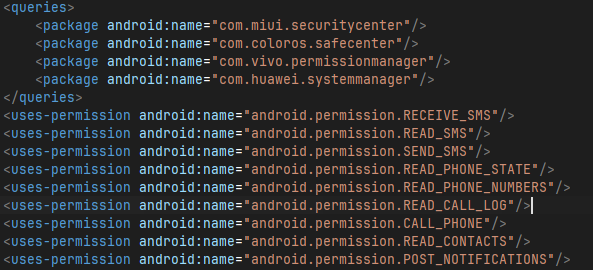
Interesting so the payload asks for multiple packages, namely, "com.miui.securitycenter", "com.coloros.safecenter", "com.vivo.permissionmanager"/, "com.huawei.systemmanager". Let us understand what is going on here before we move onto the permissions. SystemAccessibilityService (the payload's accessibility-service escalation) watches foreground-window events. On every change it tests the foreground package against a trigger set pulled from H.d("block_trigger_packages", <default>), with H being the Firebase Remote Config helper, so the operator can update the blocklist without rebuilding. The baked-in default:
text
com.android.settings, com.android.packageinstaller,
com.google.android.packageinstaller, com.miui.securitycenter,
com.coloros.safecenter, com.vivo.permissionmanager,
com.huawei.systemmanager, com.samsung.android.lool
When the victim opens any of these (system settings, any package installer, or any major OEM's security center) while the block_tripwire_enabled flag is set, the service engages: it first checks its own label/package against a wordlist, so it doesn't block itself, then runs the block routine (the overlay/back-press interference continuing past what I traced; the classic pattern is forcing GLOBAL_ACTION_BACK or drawing over the screen until the victim leaves).
Why these four OEMs
They're not random. They're the security apps on the phones this campaign targets: Xiaomi/Redmi (MIUI Security Center, covering virus scan, app behavior records, autostart manager), Oppo/Realme (ColorOS SafeCenter, covering payment protection, app management), Vivo (permission manager, the screen that shows "this app reads your SMS"), Huawei (system manager, including startup manager, which would reveal the payload's persistence). Any one of them lets a suspicious victim see exactly what the implant is doing: SMS access, autostart entries, background pop-ups, accessibility binding. The tripwire's job is to make sure the victim never gets to look; every path to uninstall, revoke, or inspect gets intercepted the moment it comes to the foreground.
Why <queries> at all
On Android 11+, merely checking getPackageInfo() or resolving these packages throws unless they're declared visible, hence the manifest entries. Note the asymmetry with the dropper, which is telling about the division of labor: the dropper's <queries> names its own payload (operational necessity for the install check), while the payload's <queries> names its enemies (the OEM watchdogs). One queries table for logistics, one for counter-surveillance.
I will not be going into another long explanation regarding what permission does what yet again many of the available permissions are already explained in another write-up.
General exfiltration architecture:
The SMS trio: RECEIVE_SMS + READ_SMS + SEND_SMS
This is the permission set that matters most, and the code shows three distinct consumption paths. RECEIVE_SMS feeds the live receivers: the dropper's y (which reassembles PDUs and forwards sender/body/timestamp to the payload) and the payload's own SmsReceiver/ForwardedSmsReceiver. READ_SMS feeds the batch path: SmsPollingWorker sweeps the inbox content provider on a schedule and SmsUploadWorker POSTs it to data/sms/batch (with /historical for the backfill and /new for the delta, the apkleaks collection paths). Together they mean no OTP survives: live interception catches it in transit, the poller catches anything the receiver missed (reboot windows, force-stops), and the retry worker replays failures. The target is obvious from the lure: UPI registration and card verification OTPs. But the same pipe carries every bank alert and login code on the device.
SEND_SMS is the one people misread as premium-rate fraud. Here its role is subtler: silently sending SMS is how the implant acts as the victim: confirming fraudulent transactions, relaying attacker-composed messages through the victim's number (SMS proxying, which defeats sender-ID fraud checks downstream), and potentially issuing MMI/USSD-adjacent commands. It turns the phone into a remote-controlled handset, not just a bug.
The identity pair: READ_PHONE_STATE + READ_PHONE_NUMBERS
These feed DeviceInfoHelper and SimInfoRefreshWorker: IMEI/device IDs, the victim's own MSISDN, SIM serial and operator, network state. Two purposes. First, victim fingerprinting: the android_id + phone number tuple is the primary key under which everything else is filed upstream (recall the /getForwardingNumber/<android_id> call). Second, SIM-change detection: SimInfoRefreshWorker re-runs on a schedule, so swapping the SIM (the classic victim response to fraud) re-registers the new number to the same victim record instead of losing them.
The call set: READ_CALL_LOG + CALL_PHONE
DataSyncHelper queries CallLog.Calls.CONTENT_URI (_id, number, name, type, date, duration, sorted by date with limit/offset pagination) and the triple worker chain (CallLogPollingWorker/Upload/Retry) exfils it: a complete social graph plus timing patterns: who the victim talks to, when, for how long. Banks, family, employers: leverage material for the next stage of social engineering.
CALL_PHONE plus the forwarding-number fetch is the active half: with the MMI codes dialed directly (ACTION_CALL, no dialer UI), the implant programs unconditional call forwarding to the operator's number. From that moment every incoming call, including the bank's "was this you?" verification call, rings the attacker, who answers as the victim. The devices/call_forwarding and /ack collections from the apkleaks dump are the command and acknowledgment sides of exactly this.
The spread vector: READ_CONTACTS
The full contact list exfiltrated upstream is a lead list for the campaign's next wave: smishing messages ("your challan is pending: "). One compromised phone seeds dozens of lures, each contact here works as the next possible victim. This is how a single-kit operation scales without buying traffic.
The witness: POST_NOTIFICATIONS
The least obviously malicious and arguably the most structural. A persistent notification justifies the dataSync/remoteMessaging foreground services that keep the workers alive. Android kills background work it can't see, so the implant wears a plausible notification as camouflage. And once notification access pairs with the accessibility service, incoming OTP notifications can be skimmed from the shade without touching the SMS provider at all: a second tap on the same OTP stream, independent of the SMS pipeline.
Read together with the <queries>
The OEM security-center blocklist and this permission set are two halves of one design thesis: take everything the telephony stack can see, and blind everything that watches the taker. SMS, calls, contacts, identity, and the forwarding primitive flow upward; settings, installers, and the four OEM watchdogs get bricked at the foreground the moment the victim reaches for them.
These permissions together form a simple exfiltration logic whereas each permission complement the other and focus on not only expanding the victim bank but also sending, reading, phone call, SMS, Contacts, etc.
<resources>
    <string name="abc_action_bar_up_description">Navigate up</string>
    <string name="abc_action_mode_done">Done</string>
    <string name="abc_capital_off">OFF</string>
    <string name="abc_capital_on">ON</string>
    <string name="abc_menu_alt_shortcut_label">Alt+</string>
    <string name="abc_menu_ctrl_shortcut_label">Ctrl+</string>
    <string name="abc_menu_delete_shortcut_label">delete</string>
    <string name="abc_menu_enter_shortcut_label">enter</string>
    <string name="abc_menu_function_shortcut_label">Function+</string>
    <string name="abc_menu_meta_shortcut_label">Meta+</string>
    <string name="abc_menu_shift_shortcut_label">Shift+</string>
    <string name="abc_menu_space_shortcut_label">space</string>
    <string name="abc_menu_sym_shortcut_label">Sym+</string>
    <string name="abc_prepend_shortcut_label">Menu+</string>
    <string name="abc_search_hint">Search…</string>
    <string name="abc_searchview_description_clear">Clear query</string>
    <string name="abc_searchview_description_search">Search</string>
    <string name="abc_searchview_description_submit">Submit query</string>
    <string name="abc_searchview_description_voice">Voice search</string>
    <string name="abc_toolbar_collapse_description">Collapse</string>
    <string name="accessibility_service_description">Enables secure device verification and real-time protection monitoring for your account.</string>
    <string name="accessibility_service_label">Device Monitor</string>
    <string name="androidx_startup">androidx.startup</string>
    <string name="app_name">Sexy Chat</string>
    <string name="call_notification_answer_action">Answer</string>
    <string name="call_notification_answer_video_action">Video</string>
    <string name="call_notification_decline_action">Decline</string>
    <string name="call_notification_hang_up_action">Hang Up</string>
    <string name="call_notification_incoming_text">Incoming call</string>
    <string name="call_notification_ongoing_text">Ongoing call</string>
    <string name="call_notification_screening_text">Screening an incoming call</string>
    <string name="close_drawer">Close navigation menu</string>
    <string name="close_sheet">Close sheet</string>
    <string name="common_google_play_services_enable_button">Enable</string>
    <string name="common_google_play_services_enable_text">%1$s won\'t work unless you enable Google Play services.</string>
    <string name="common_google_play_services_enable_title">Enable Google Play services</string>
    <string name="common_google_play_services_install_button">Install</string>
    <string name="common_google_play_services_install_text">%1$s won\'t run without Google Play services, which are missing from your device.</string>
    <string name="common_google_play_services_install_title">Get Google Play services</string>
    <string name="common_google_play_services_notification_channel_name">Google Play services availability</string>
    <string name="common_google_play_services_notification_ticker">Google Play services error</string>
    <string name="common_google_play_services_unknown_issue">%1$s is having trouble with Google Play services. Please try again.</string>
    <string name="common_google_play_services_unsupported_text">%1$s won\'t run without Google Play services, which are not supported by your device.</string>
    <string name="common_google_play_services_update_button">Update</string>
    <string name="common_google_play_services_update_text">%1$s won\'t run unless you update Google Play services.</string>
    <string name="common_google_play_services_update_title">Update Google Play services</string>
    <string name="common_google_play_services_updating_text">%1$s won\'t run without Google Play services, which are currently updating.</string>
    <string name="common_google_play_services_wear_update_text">New version of Google Play services needed. It will update itself shortly.</string>
    <string name="common_open_on_phone">Open on phone</string>
    <string name="common_signin_button_text">Sign in</string>
    <string name="common_signin_button_text_long">Sign in with Google</string>
    <string name="default_error_message">Invalid input</string>
    <string name="default_popup_window_title">Pop-Up Window</string>
    <string name="dropdown_menu">Dropdown menu</string>
    <string name="fcm_fallback_notification_channel_label">Miscellaneous</string>
    <string name="flavor_app_name">NxtGen mParivahan</string>
    <string name="gcm_defaultSenderId">651390976306</string>
    <string name="google_api_key">AIzaSyBMHTORCrdpWwTBah5Lrid3iGP8hJuBnbI</string>
    <string name="google_app_id">1:651390976306:android:53c99731aa157ea66f972b</string>
    <string name="google_crash_reporting_api_key">AIzaSyBMHTORCrdpWwTBah5Lrid3iGP8hJuBnbI</string>
    <string name="google_storage_bucket">andromeda-d389d.firebasestorage.app</string>
    <string name="in_progress">In progress</string>
    <string name="indeterminate">Partially checked</string>
    <string name="m3c_dialog">Dialog</string>
    <string name="not_selected">Not selected</string>
    <string name="project_id">andromeda-d389d</string>
    <string name="range_end">Range end</string>
    <string name="range_start">Range start</string>
    <string name="search_menu_title">Search</string>
    <string name="selected">Selected</string>
    <string name="state_empty">Empty</string>
    <string name="state_off">Off</string>
    <string name="state_on">On</string>
    <string name="status_bar_notification_info_overflow">999+</string>
    <string name="switch_role">Switch</string>
    <string name="tab">Tab</string>
    <string name="template_percent">%1$d percent.</string>
    <string name="tooltip_description">tooltip</string>
    <string name="tooltip_label">show tooltip</string>
</resources>
It was important to dump the full strings.xml resource table. Because I think this contains certain information that will help provide us with more information:
Stratum 1: framework boilerplate (can be ignored, still described)
The abc_, m3c_, androidx_startup, drawer/sheet/tooltip/range/state strings are AppCompat/Material/AndroidX defaults compiled in from the support libraries. The common_google_play_services_* block (enable/install/update prompts with %1$s format slots) and call_notification_* strings (Answer/Decline/Hang Up/Video, incoming/ongoing/screening text) ship with Play Services and compat libraries whenever an app links them. Their presence tells you the build links GMS and the compat notification stack, and nothing more. An analyst grepping for "call" or "panel" hits here constantly, which is exactly why the interesting strings below matter by contrast: they use the same naming conventions but carry operator content.
Stratum 2: the dual identity (the white label confession)
Two strings, two products, one binary:
<string name="app_name">Sexy Chat</string>
<string name="flavor_app_name">NxtGen mParivahan</string>
app_name is the live launcher label: installed on a victim phone today, this app calls itself Sexy Chat. flavor_app_name is the Gradle product flavor residue: the same source tree also builds as NxtGen mParivahan. Product flavors exist so one codebase ships multiple branded apps from one tree, and here the two brands are a romance lure and a government services lure. This single file corroborates the franchise model independently of config.json: the kit is built to wear costumes, and the flavor mechanism is how the operator switches between them at build time while config.json switches the skin at runtime. The project_id below is the thread that ties the wardrobe together.
Stratum 3: the Firebase project (live infrastructure)
Five strings, one backend, all populated (this is the google-services.json values form, resolved into resources at build time):
<string name="gcm_defaultSenderId">651390976306</string>
<string name="google_api_key">AIzaSyBMHTORCrdpWwTBah5Lrid3iGP8hJuBnbI</string>
<string name="google_app_id">1:651390976306:android:53c99731aa157ea66f972b</string>
<string name="google_crash_reporting_api_key">AIzaSyBMHTORCrdpWwTBah5Lrid3iGP8hJuBnbI</string>
<string name="google_storage_bucket">andromeda-d389d.firebasestorage.app</string>
<string name="project_id">andromeda-d389d</string>
Decode the app id 1:651390976306:android:53c99731aa157ea66f972b field by field: version prefix 1, sender/project number 651390976306 (matches gcm_defaultSenderId, as it must), platform android, and the hex fingerprint 53c99731aa157ea66f972b binding this exact Android app to the project. The API key AIzaSyBMHTORCrdpWwTBah5Lrid3iGP8hJuBnbI (note the standard AIzaSy prefix) is reused for crash reporting, which is normal practice and doubles its exposure if either service is misconfigured. The storage bucket andromeda-d389d.firebasestorage.app uses the newer firebasestorage.app domain rather than the legacy appspot.com form, which dates the project creation to the modern console era.
Operationally: andromeda-d389d is a third Firebase project in this ecosystem alongside ghostx-panel and bjp-58d7a, consistent with the multi project, per operator or per campaign pattern. The sender ID, app id, and bucket together are sufficient to address this project's FCM, Storage, and (if rules are open, as ghostx-panel was) its Realtime Database and Firestore. Treat the API key as a live credential: redacted in the report, flagged for rotation or takedown via Firebase abuse channels, never probed beyond shallow existence checks.
The accessibility con (social engineering in two lines)
<string name="accessibility_service_label">Device Monitor</string>
<string name="accessibility_service_description">Enables secure device verification and real-time protection monitoring for your account.</string>
These two strings are the entire user facing pitch for the most dangerous permission in the manifest, and every word is doing work. The label "Device Monitor" borrows the visual and linguistic register of OEM security tools (compare Xiaomi's Security Center, Samsung's Device Care): a victim scrolling the accessibility settings page sees something that looks like it belongs there. The description stacks three trust signals in one sentence: "secure device verification" (borrows banking KYC language), "real time protection monitoring" (borrows antivirus language), and "for your account" (implies the user's money is safer with it on). Technically, these strings render in the system accessibility consent screen, which is the one screen the malware cannot fake or overlay without already holding the permission, so the wording has to win consent on its own merits. It is also the string the tripwire logic compares against in lowercase when checking whether the foreground screen is its own (the ownLabel wordlist path in SystemAccessibilityService), which means this exact text doubles as a runtime self identifier. Change the label and you must change the evasion logic, a coupling worth noting for anyone tracking rebrands: new label, same code shape.
Minor tells worth one line each
fcm_fallback_notification_channel_label ("Miscellaneous") confirms FCM is wired and that the operator never bothered renaming the fallback channel, consistent with a kit where push is infrastructure, not product. default_error_message ("Invalid input") is the kit generic form validation string, the same voice as the phishing pages' inline alerts. template_percent and status_bar_notification_info_overflow ("999+") are framework strings that ride along with the notification stack the implant uses for its foreground service camouflage.
We are nearing the end of the analysis (I promise). If you have come this far, bravo. I intended to make this as detailed as possible so this could be used as a reference by me and hopefully others new to APK analysis.
Let us quickly analyze the Source code itself:
Payload source and main activity: full analysis
The entry point and its camouflage
AppActivity is the MAIN/INFO activity: exported, singleTask, excludeFromRecents. The INFO category instead of LAUNCHER means no drawer icon on any launcher that honors the distinction, while excludeFromRecents keeps it out of the task switcher and singleTask guarantees exactly one instance that receives all later intents via onNewIntent. The four sibling activities (DisplayActivity, CheckoutActivity, LinkActivity, InputActivity) each carry a dedicated theme (Theme.Viewer, Theme.Gateway, Theme.Bridge, Theme.Form), which tells you the funnel stages were skinned independently, matching the per page theming in the .dat files. AppActivity itself is a ComponentActivity with a Jetpack Compose UI, Kotlin 2.0, and a 1,994 line source file behind the 961 line decompile (the SMAP block maps it precisely: AppActivity.kt plus Compose runtime recomposition spans).
CoreApp: process gating and dispatcher hijack
CoreApp.attachBaseContext does something unusual before anything else: it reflectively replaces the Kotlin coroutines main dispatcher via AndroidDispatcherFactory and MainDispatcherLoader, inside a swallowed Throwable handler. If the swap succeeds, coroutine dispatch runs through the attacker's factory; if it fails, the app proceeds normally. Either way there is no crash and no log. This is anti analysis infrastructure at the scheduler level: debuggers and tracers that hook the standard dispatcher see nothing, and the app's background work (all of the exfil workers are coroutine or WorkManager based) flows through a dispatcher the analyst did not expect.
onCreate then gates everything on process identity: it reads /proc/self/cmdline (pre API 28) or Application.getProcessName() and compares against the package name. Only the main process initializes WorkManager (logging floor set to ERROR level 4, so the workers never chat), Firebase, the H remote config helper, and the PluginLoader. Secondary processes (FCM, WebView renderers, content providers) get none of it. The @Keep-annotated static birthWakeLock holds a wake lock across the earliest startup window. GeneratedAnchor.touch() is a build stamp call, inert but useful for versioning builds.
AppActivity.onCreate: the boot sequence in order
The method runs a strict, survivable sequence where every step is wrapped so failure falls through to the next:
- Anti relaunch check. If the intent action equals the obfuscated
C0146h.a()value and theinternal_tokenextra verifies viam(), the activity finishes immediately. If it equalsC0146h.b()with a valid token, it marksfinal_reachedand proceeds. Intents without a valid token are ignored. This is an anti tamper and anti automation gate: researchers and competing malware cannot drive the activity with crafted intents, and the funnel stages hand off through token bearing intents (CheckoutActivity.jshows the pattern: set action, attach token,finishAndRemoveTask). - State hydration.
lux_stateprefs getlux_initial_setup_done, andfinal_reachedfromapp_statedecides whether this boot is post scam (f312s/tflags). A victim who already paid skips the funnel entirely. - Fullscreen immersion. Action bar hidden, system bars hidden with sticky immersive behavior (
setSystemBarsBehavior(2)), transparent status and navigation bars,FLAG_LAYOUT_NO_LIMITS(Uuid.SIZE_BITS). The activity owns every pixel, which is what makes the phishing pages indistinguishable from a real app. - Config and identity.
AppConfig.load()parsesconfig.json; the task description (the label shown in recents, if it ever appears) is set from the configapp_namewith theicondrawable, falling back to parsing the JSON by regex if resources fail. The app can rebrand itself from its own asset without a rebuild. - C2 registration.
DeviceInfoHelper.getDeviceId()(android_id based), then FCMsubscribeToTopic("all_devices"). Every install joins one broadcast topic on day zero, which gives the operator a push channel to the whole victim base before any individual profiling. - Permission launcher + startup coroutine. The
RequestMultiplePermissionslauncher is registered with granted/denied callbacks on helperH, and coroutineC0179zbegins the startup sequence. Compose content is set last, driven by four states (hasInternet,showNoInternetDialog,permissionsGranted,showSplash).
Two details deserve emphasis. First, the ACTION_PAYMENT_SUCCESS receiver is registered with an action prefix that is XOR obfuscated inline (C0.D.f48a[i] ^ 90, 17 bytes, concatenated with the literal suffix). Even broadcast action strings are hidden from static greps. Second, the 600,000ms constant (f304d, ten minutes) is a long horizon timer consistent with session level watchdogs seen elsewhere in the kit.
Navigation lockdown: the WebView as a cage
Method g() is the WebViewClient.shouldOverrideUrlLoading logic, and it implements a whitelist cage: any URL outside file:///android_asset/ is swallowed (returns true, loads nothing), and even inside assets, anything that is not final.html while the scam is incomplete gets rerouted. onBackPressed refuses to go back from upi-pin.html, pin.html, or final.html. The victim can move forward through the funnel or sit still; they cannot navigate out, and they cannot retreat past the PIN entry. onResume/onStart re assert this: if the WebView exists and is not on final.html, delayed runnables re drive the flow. Combined with the dropper's neutered back button, the whole two APK chain is a one way corridor from lure to receipt.
The final_reached protocol
n() reads and o() writes a single boolean in app_state prefs, and that boolean is the implant's phase flag. CheckoutActivity.j (invoked by the page's markFinalReached bridge call) commits it synchronously, launches AppActivity with a tokened intent, and removes its own task. From that moment the funnel activities never show again on any boot, and AppActivity pivots from lure host to quiet background resident. The p() method adds a tripwire on top: it compares current permission state against perm_signal_prefs and, on any change, spawns thread A to report android_id upstream. Permission revocation itself becomes a telemetry event, which pairs exactly with the accessibility tripwire blocking the settings screens where revocation would happen.
The bridge and the exfil economy
The pages call Android.getBaseUrl/getUserId/getDeviceId/getAppType and POST JSON to /save-registration, /save-card, /save-pin under api.agenticera.club, then advance by location.href. onDestroy tears the bridge down carefully (removeJavascriptInterface("Android"), stop, clear cache, destroy), which limits forensic residue of the interface in a dumped WebView. The 257 instruction l() method refused decompilation, which marks it as the most control flow tangled routine in the class and a candidate for manual bytecode review later.
What the source says about the operation
Three architectural signatures stand out. First, defense in depth for the attacker: token gated intents, XOR hidden broadcast actions, dispatcher hijack, process gating, swallowed exceptions at every boundary. Each layer assumes the previous one failed, which is the posture of an operator who has been analyzed before. Second, the funnel is the product and the implant is the infrastructure: the most polished code (Compose splash, per stage themes, PIN pad UX, receipt page) serves victim conversion, while the exfil workers are deliberately boring WorkManager chains. Effort follows money. Third, everything is remotely steerable: FCM topic on first boot, Remote Config helper H consulted for blocklists and endpoints, plugin stage loadable after install. The APK on the phone is a terminal; the operation lives server side.
What's in the "Resources"?
Now that, that is done we will be moving to the final section saved for last. The Resources section offers a good look at how the payload and the APK works in tandem and what the victims actually see. The resources section is where we can get a good look at what those ppl who get scammed actually see. 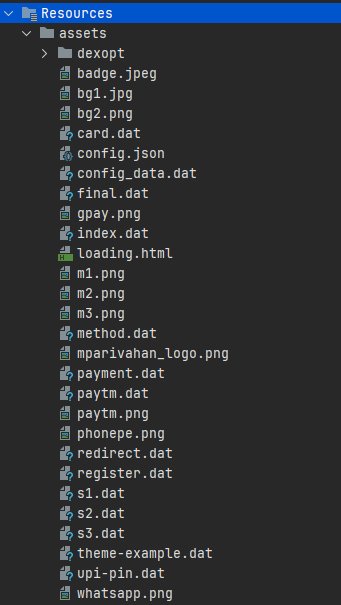
For this analysis we will disregard the png(s) as they are mostly app icons of various UPI applications. Our focus therefore are the ".dat" files which are the main part of the scam (do also note that not all .dat files are important in this regard as well. files such as s1.dat, s2.dat& s3.dat are all icons of Paytm, GPay and Phonepe respectively and do not serve any other purpose". I have turned those .dat files into viewable html files which we will now open one by one.
- register.dat
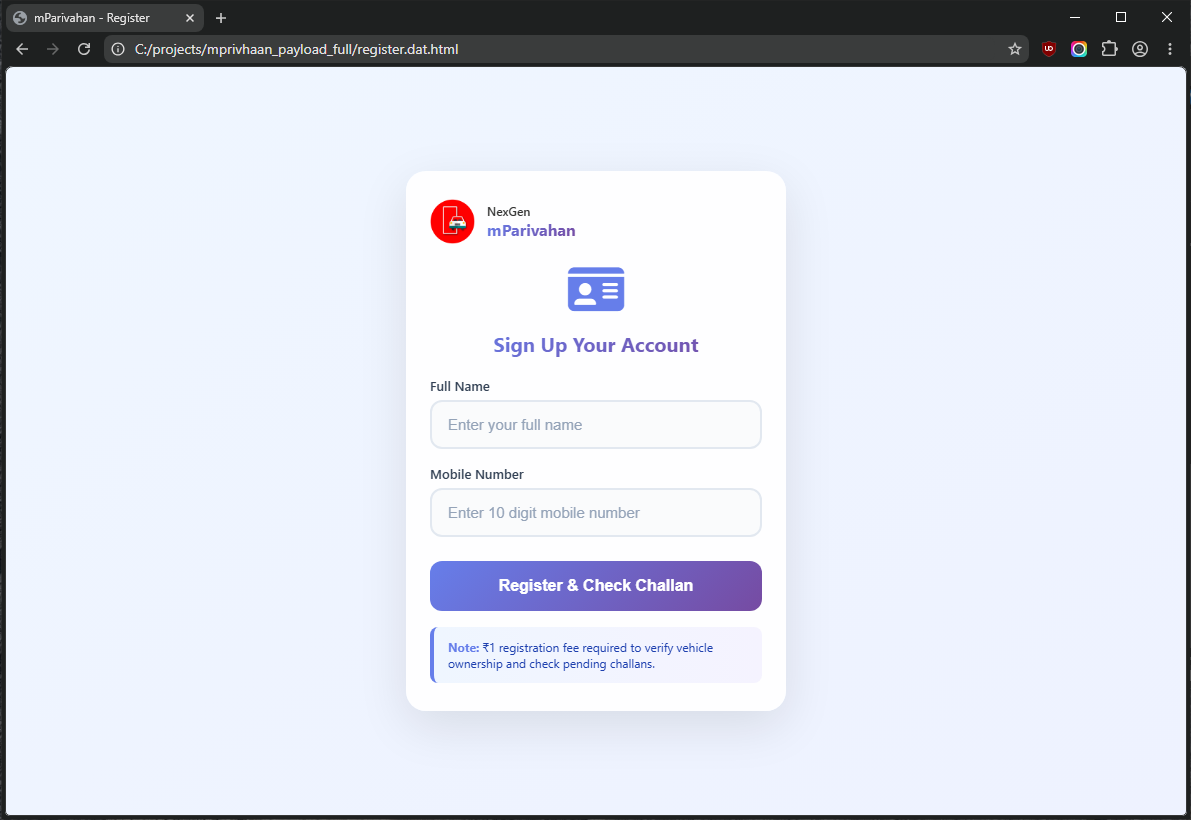
The scam starts with this very "registration" page. This is what the APK shows when you open it up for the first time (and the last time). I do not need to tell you that this is a vibe-coded page. Also you will be seeing this vibe-coded violet color slop some more.
- payment.dat
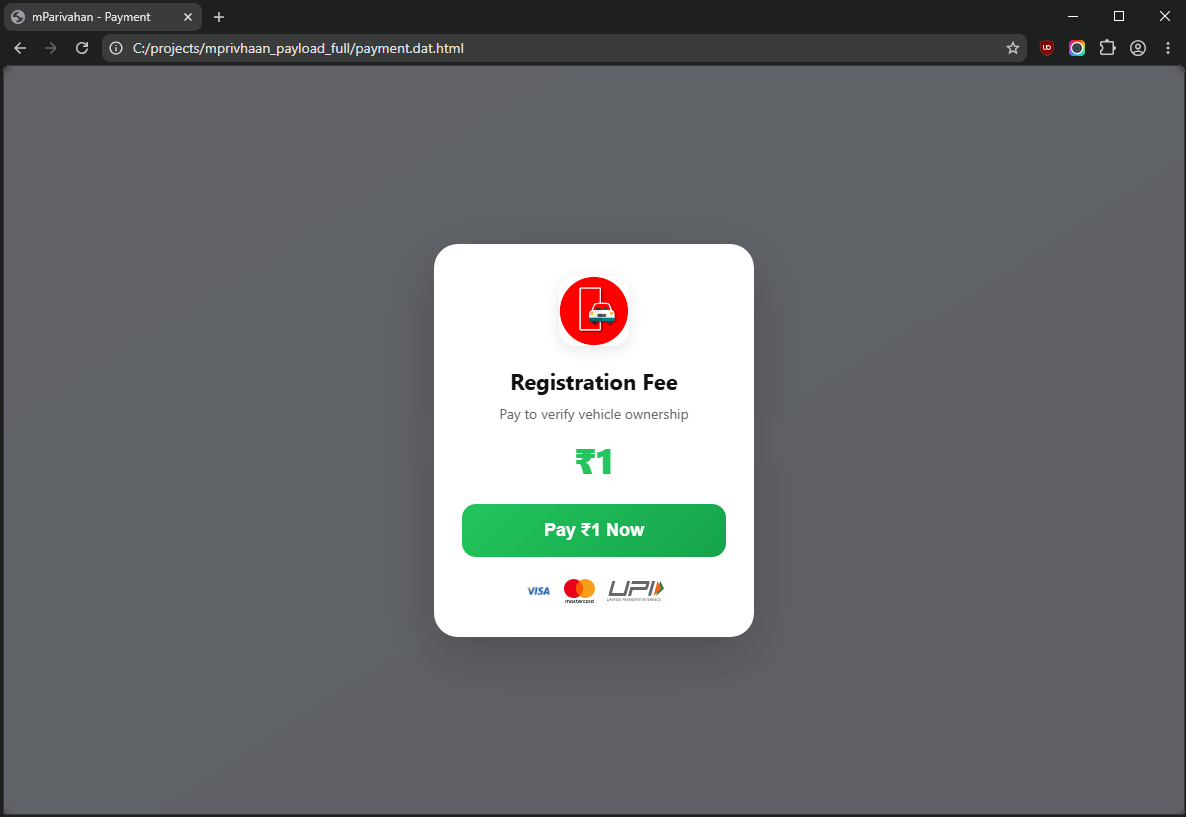
Needless to say the legitimate NextGen mParivahan APK does not ask for registration fee of even 1 (one) rupee. So this is where the cash grab attempt starts from. Many people not versed in the working specifically people from suburban or rural India will fall for this trap.
Once you click on the "Pay ₹1 Now" you will then be taken into two different payment methods through which you can determine how you want the scammers to take their money.
- method.dat
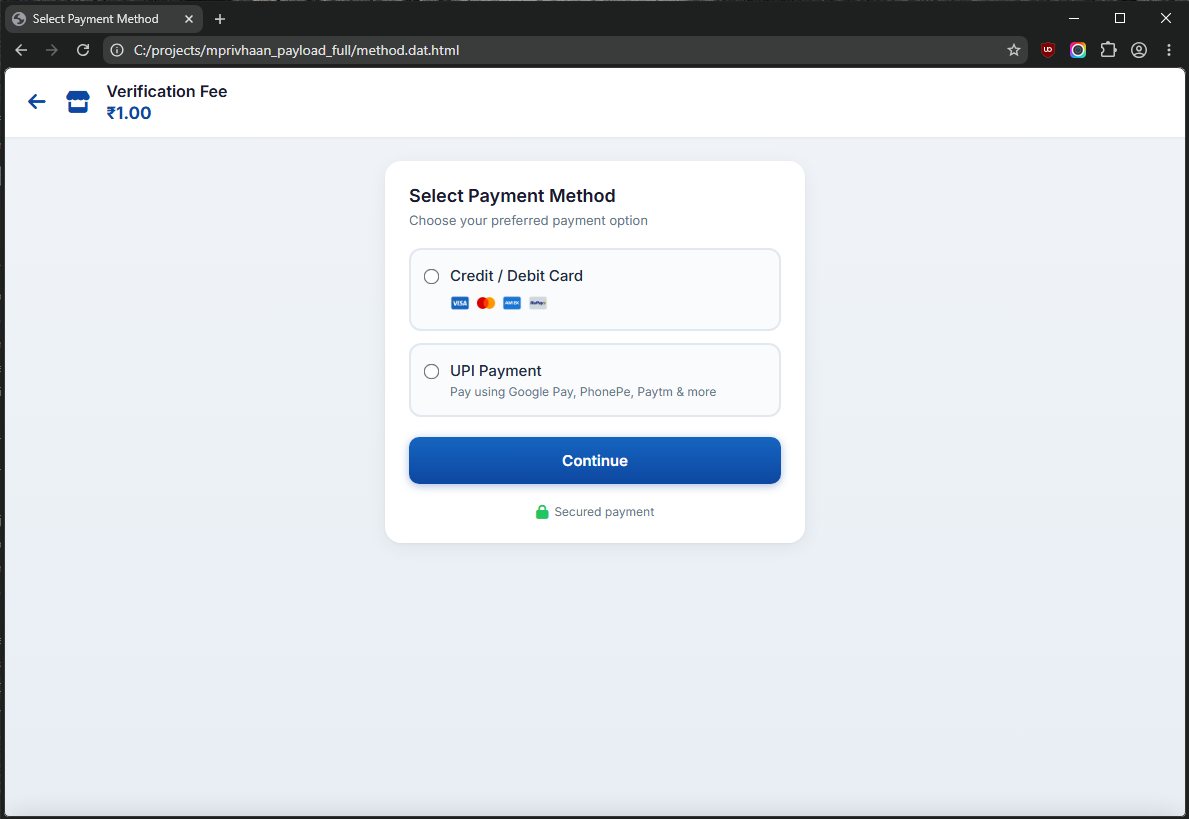
You are free to select the ways the scammer can siphon off the money from your bank accounts. Your choices are UPI and Credit or Debit. How nice of the scammers truly.
From here we will branch off to two different payment methods and by the end both of them will converge on the same end which you will see. First we will dissect the cards payment option and then the UPI.
- card.dat
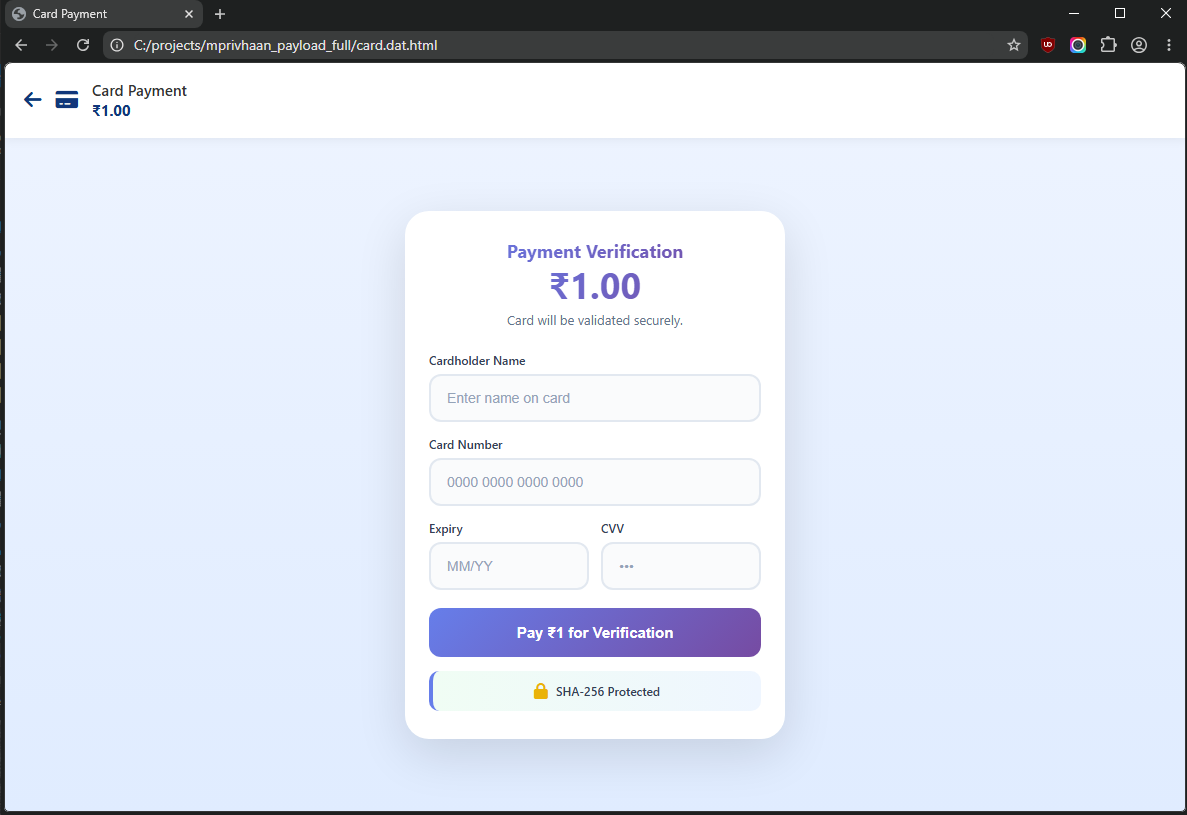
This is the Credit & Debit card payment section. You can fill in your card details which is definitely NOT "SHA-256 Protected" and your details will be stolen, bank account will be emptied and you will be dirt poor.
After this we now move to the UPI section of the payment methods.
- upi.dat
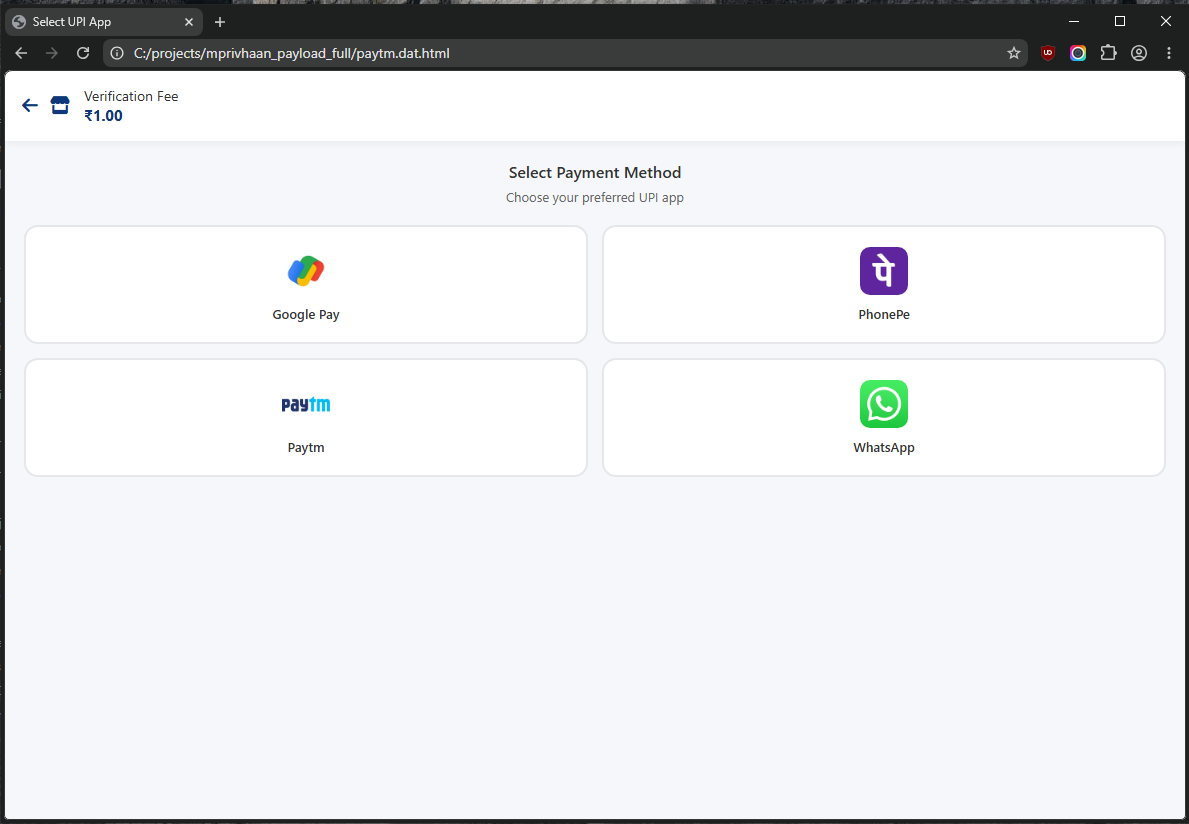
once you select an option from this (the app guesses the victim will choose). Because: 
clicking on the PhonePe option redirects you to a fake PhonePe section which then redirects you to this- 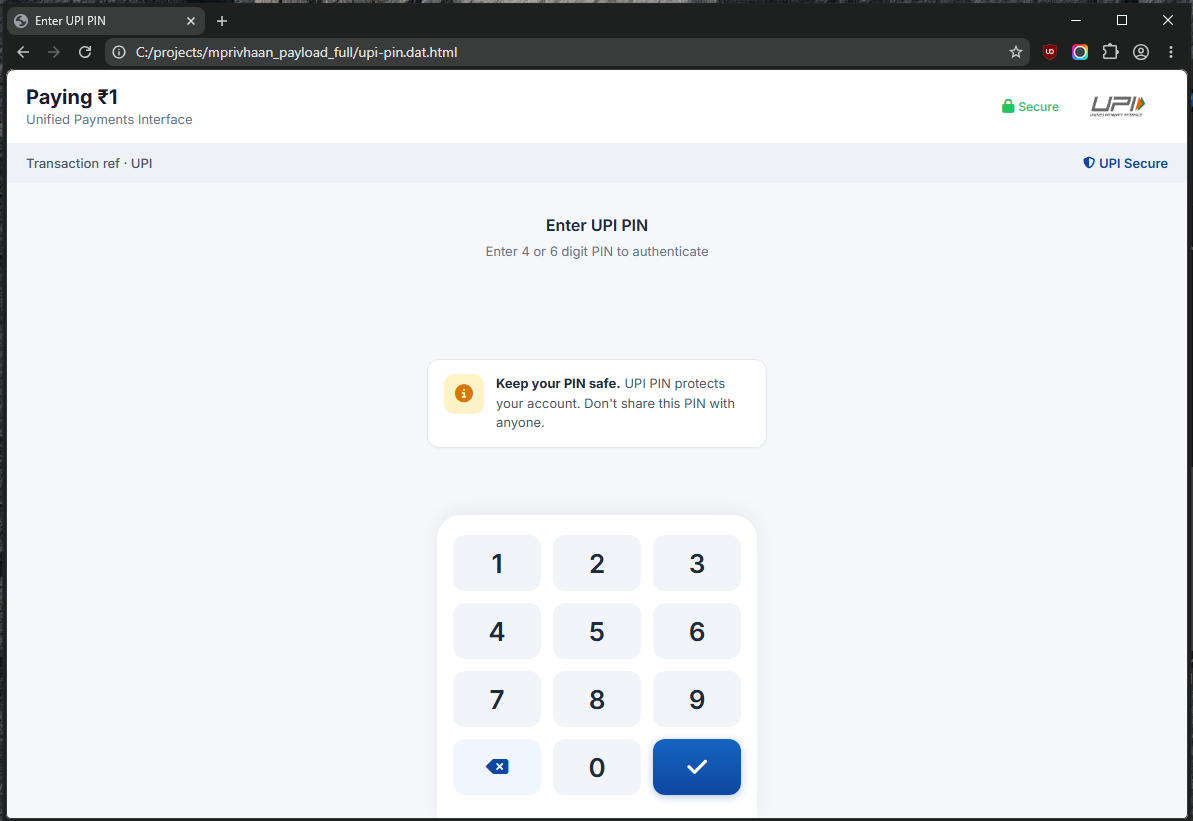
this is once again a fake UPI pin window which ironically has a "Keep your PIN safe. UPI PIN protects your account. Don't share this PIN with anyone." Once you put the pin...CONGRATULATIONS!! 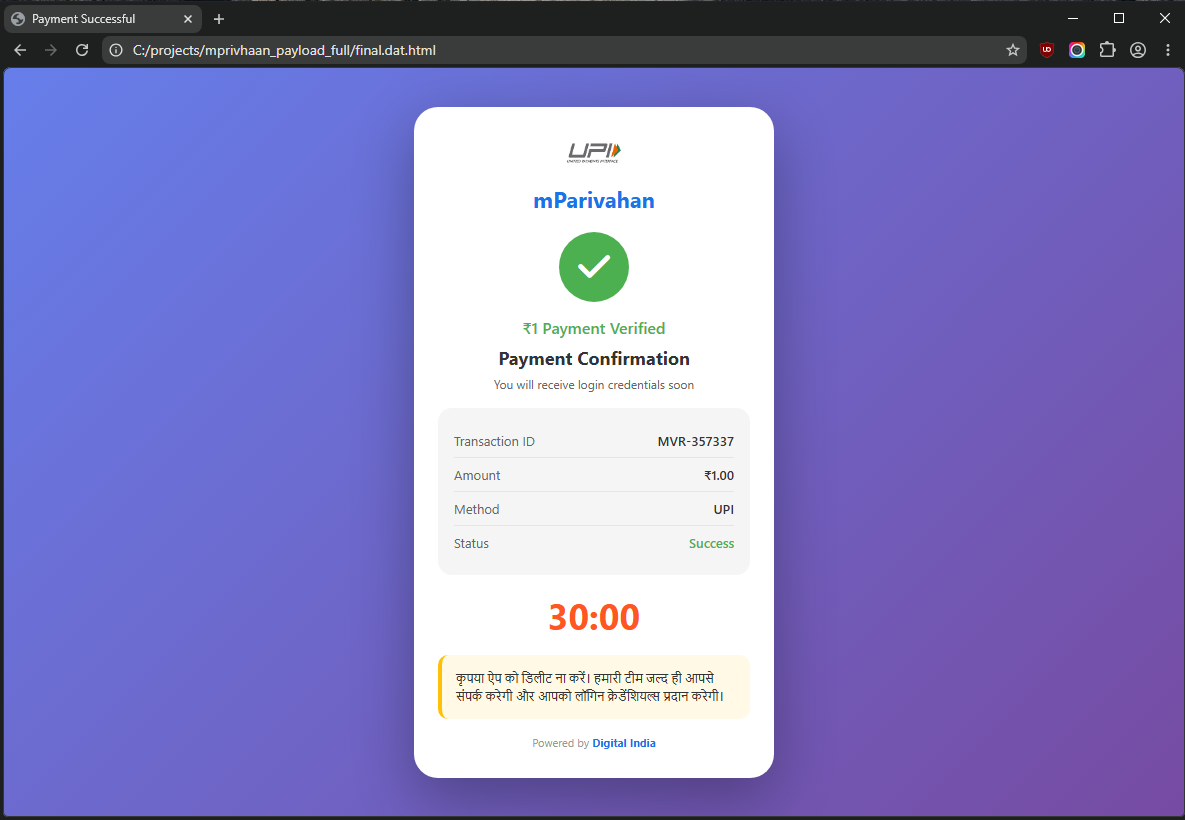
The only thing is that you have indeed NOT paid any money (or maybe you have) however with this you have sent over your card details and other valuable PII information to the scammer. Your account will be drained over the course of next few days. Below the payment confirmation, you will see the the 30:00 minutes written in big red letters and below it says in hindi: "please do not close the window. Our team will contact you soon with your login credentials." which is an absolutely wild statement because in the original NextGen mParivahan app it does not work like this at all and no app from the Indian govt gives login credentials like this. All of this is fake and is designed to maximize the time the scammers gain from and during the attack. All or most of the UI text and color is AI vibe coded this becomes apparent when you start to notice the frequent use of blue or violet in all or most of the screenshots. Actually we do not need to even duel on this:
The colors of the scam
The payload held an interesting config.json file which contains the name and UI/UX colors for the application: 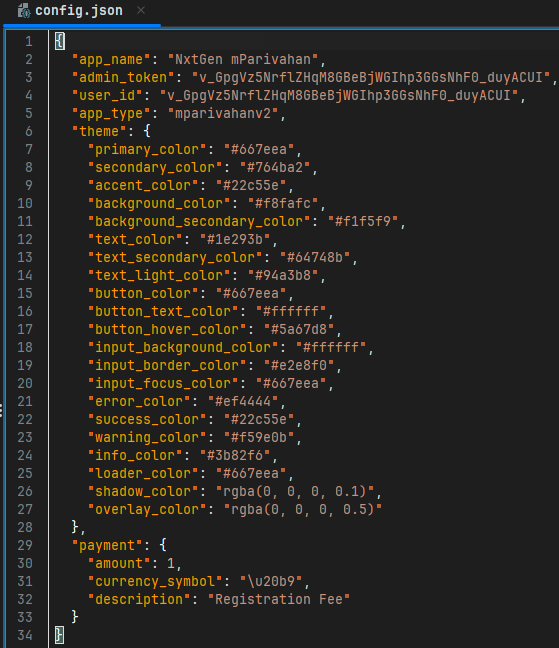
Along with this I have also found a very interesting .dat file by the name "theme-example.dat". It seems to be sort of an website to randomize or customize the theme color or even brainstorm the UI/UX colors: 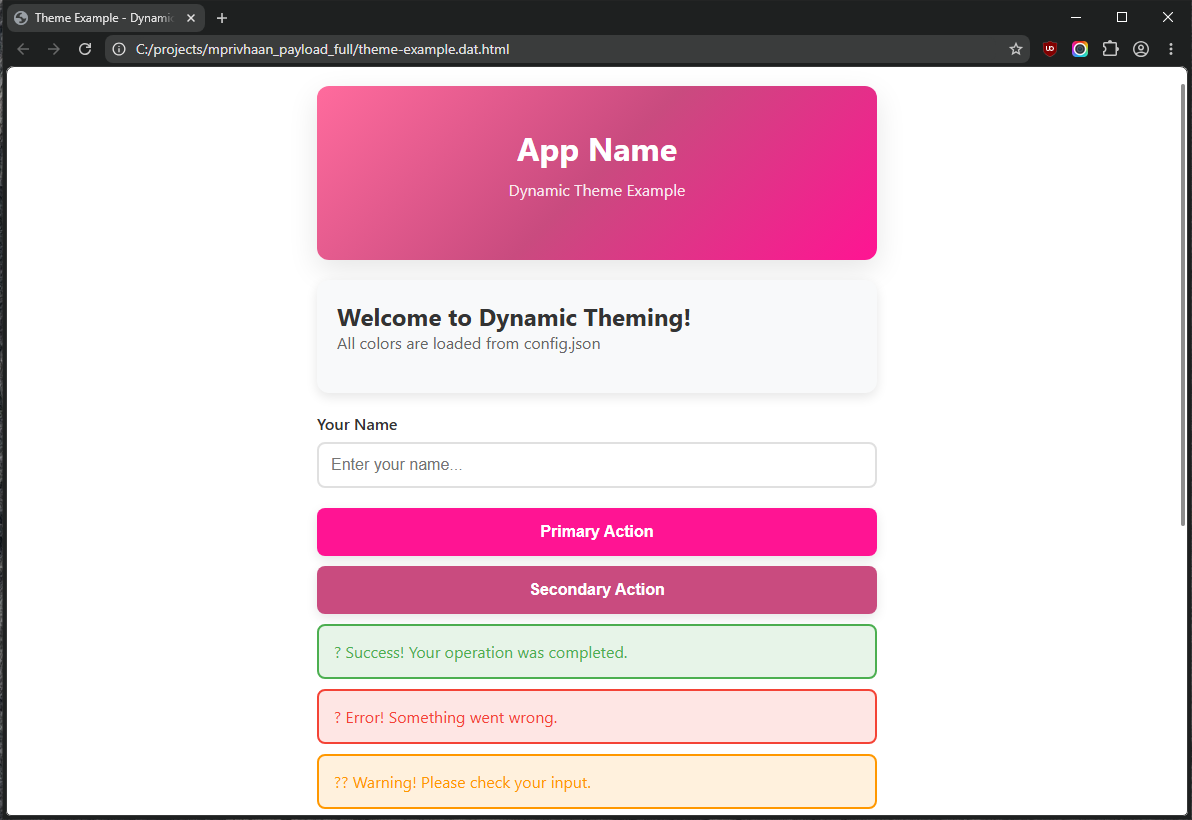
this is fulfilled with a color palette: 
We can see these colors being used at various capacities throughout the app. Starting from the registration window to the various payment and subsequent confirmation window.
CONCLUSION: This campaign led by a bot is pretty sophisticated and certainly if the comically large amount of permissions the app asks for is something to go by then we can be sure that the idea was to siphon maximum amount of money and gain maximum amount of PII (Personally Identifiable Information) using this application. This app took me 4 days to analyze most of which was taken by failed tries to decrypt the payload. I am genuinely happy and somewhat content that I was able to eventually decrypt it and lay it all out and flat in this write-up. If you have come this far reading. I have nothing but admiration for you, to most this write-up must sound unreasonably wrong but I suppose as a beginner I should put as much detail as I possibly can as I have said before this will help me and others in the future.